
Most programmers spend less than 30% of their day actually typing algorithmic code. The remaining 70% is typing prose about code: pull request summaries, commit messages, Slack threads, incident retrospectives, documentation, and architectural decision records.
Yet developers continue to hammer all of this out with ten fingers on a mechanical keyboard at 50 to 70 words per minute.
When you finish an intense two-hour debugging session and need to write a four-paragraph pull request explaining what broke, why it broke, and how the fix handles edge cases, that typing friction is where cognitive fatigue sets in. You either write a rushed, two-sentence PR that frustrates reviewers, or you spend 20 minutes typing something you could have explained out loud in 90 seconds.
Here is how modern developers use local voice dictation in their daily toolchain—from terminal commands to VS Code comments—without breaking flow or leaking proprietary code to third-party servers.
1. Why Consumer Voice Dictation Fails in an IDE
Every developer has tried macOS dictation or Google speech-to-text once, experienced immediate failure, and turned it off forever.
The failure usually looks like this:
- Speech:
git commit -m "fix: update auth session handling" - Consumer Dictation Output:
Get commit dash m fix update off session handling
Consumer tools fail for three reasons:
- Case sensitivity and formatting: They force title-case on words they think start a sentence, destroying command syntax.
- Ignorance of programming lexicons: Terms like
auth,async,boolean,enum,k8s, andrepoget autocorrected into common English misspellings. - Punctuation friction: You cannot say
colon,hyphen, andquotefour times in a single sentence without losing your train of thought.
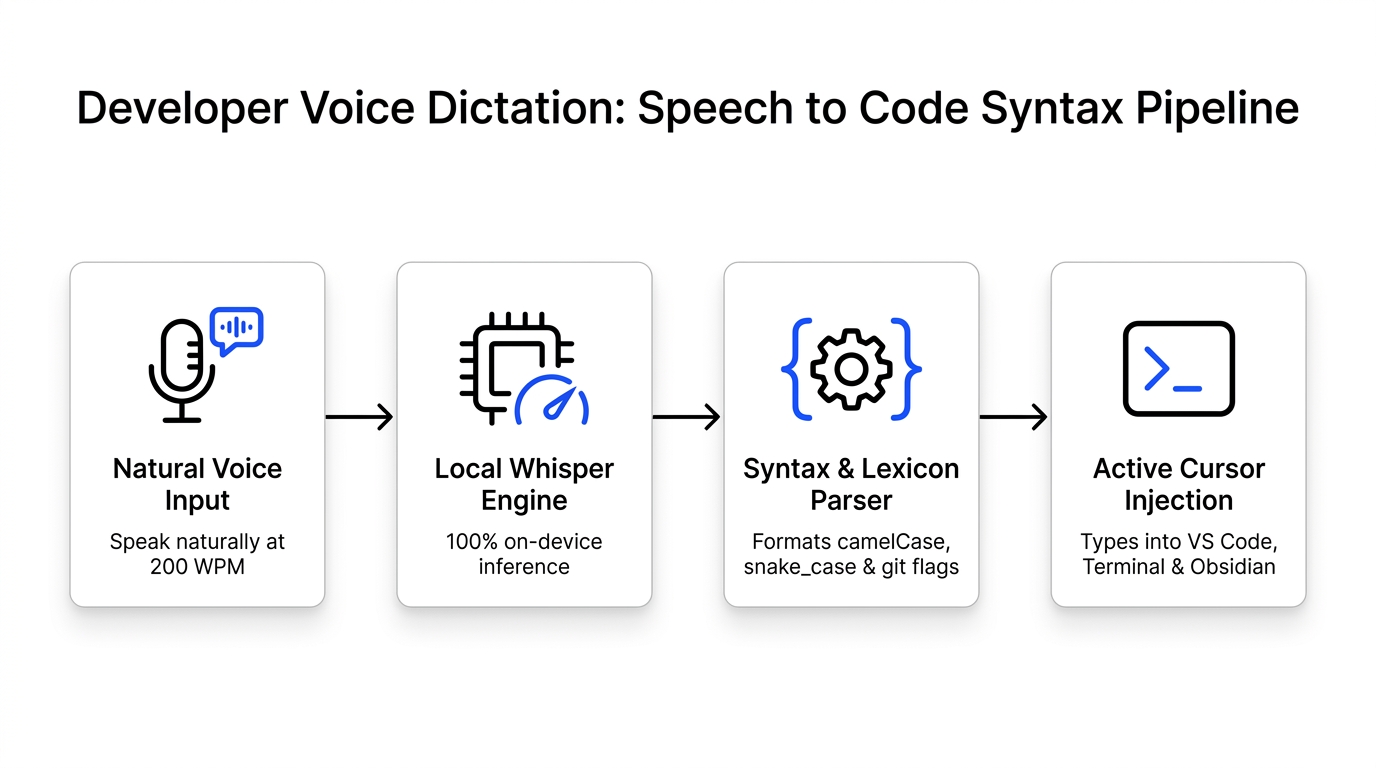
NeverType solves this by using a syntax-aware language model pass tuned specifically for developer environments. It recognizes command line flags (-m, --save-dev), programming naming conventions, and technical acronyms automatically.
2. High-Leverage Developer Use Cases
A. Git Commit Messages Without Leaving the Terminal
Instead of struggling to formulate clean conventional commits inside git commit, hold your NeverType hotkey and speak:
"fix colon handle expired jwt tokens in middleware redirect"
NeverType outputs directly into your terminal:
git commit -m "fix: handle expired jwt tokens in middleware redirect"
B. Comprehensive Pull Request Summaries
A well-documented PR gets reviewed twice as fast. While looking at your git diff in GitHub or Cursor, activate NeverType and walk through your changes:
"This PR refactors the database connection pool. We noticed connection timeouts during peak background job runs. Added a maximum connection limit of twenty and implemented automatic retry with exponential backoff on query timeouts."
In less than 40 seconds, you have a publication-grade PR description that would have taken ten minutes of typing.
C. In-Code Docstrings and Comments
Writing comprehensive JSDoc or Python docstrings while staying focused on logic:
/**
 * Validates active license sessions against local SQLite storage.
 * Purges expired device tokens if last verification exceeds 7 days.
 */
You speak the function's intent at 200 words per minute and keep coding.
3. The Security Non-Negotiable: Proprietary Codebases
If you work at a software company, your employment contract and company security policy strictly govern where proprietary source code and architectural discussions can be transmitted.
Cloud-based dictation tools (like Wispr Flow) route your live microphone stream to external cloud servers. If you dictate:
"The payment gateway secret is currently hardcoded in config dot json and we need to move it to Vault..."
That audio has just been transmitted outside your company's security perimeter, violating SOC2 compliance, ISO 27001 requirements, and non-disclosure agreements.
NeverType runs 100% on your machine's hardware:
- Whisper inference runs locally on Apple Silicon Metal or NVIDIA TensorRT.
- Zero audio packets leave your computer.
- Full compatibility with air-gapped corporate development environments and VPNs.
4. Recommended Hotkey Bindings for Developers
Developers already have hundreds of keyboard shortcuts mapped across VS Code, Vim, tmux, and window managers. You cannot use a trigger key that interferes with existing shortcuts.
We recommend the following trigger configurations in NeverType:
- macOS: Double-tap
Right Commandor holdRight Option. This avoids collisions with standardCmd+Space(Raycast/Spotlight) orCmd+Shift+P(VS Code Command Palette). - Linux & Windows: Tap
CapsLock(remapped as dictation toggle) or holdRight Ctrl.
5. Summary: Type Code, Speak Documentation
Your keyboard is an input device for structured logic, indentation, and variable navigation. It is a slow, ergonomically painful device for natural language prose.
By offloading PRs, commit messages, Slack replies, and technical design documents to local voice dictation, you preserve finger ergonomics and stay focused on writing software.
👉 Download NeverType Free — Sub-200ms offline voice dictation designed for software engineers.