
I bought MacWhisper Pro thirty seconds after reading a glowing thread on r/macapps.
The promise sounded irresistible: OpenAI's Whisper model running locally on my MacBook Pro's Apple Silicon chip, 100% private, no cloud subscriptions, no monthly API fees. I downloaded the .dmg, dragged it into Applications, and launched it with high hopes.
Ten minutes later, I was staring at a large grey box that said: "Drop audio or video files here."
I didn't have an audio file.
I was trying to write a 3-paragraph reply to a client in Slack.
I clicked through the settings menu, discovered the experimental dictation mode, configured a shortcut, and pressed record. A floating recording window popped up over my screen. I spoke my message, hit stop, waited three seconds for a loading bar to process, clicked "Copy Text," switched back to Slack, hit Cmd + V, and finally pressed enter.
It took four times longer than simply typing the message with two thumbs.
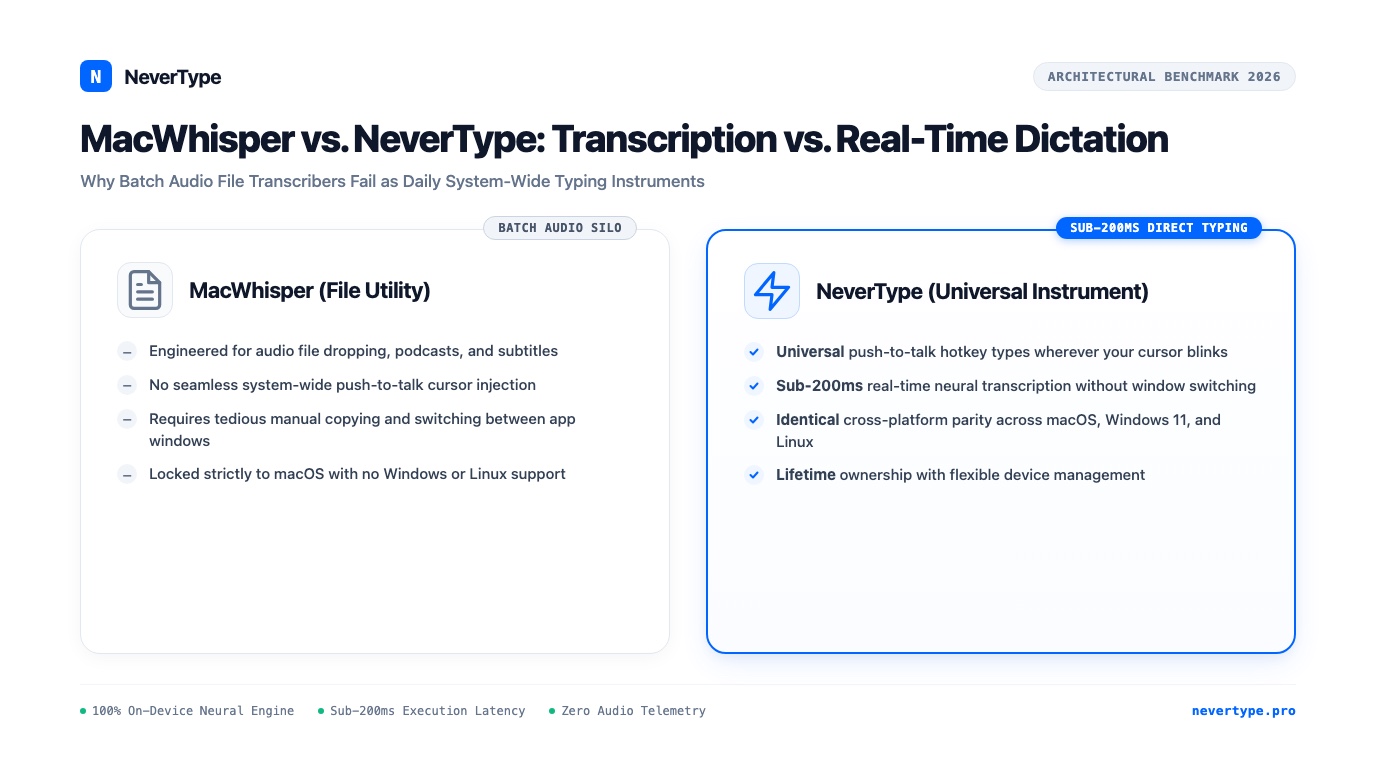
That is when the fundamental distinction hit me: MacWhisper was engineered to transcribe recorded files. NeverType was engineered to replace your keyboard.
1. Two Completely Different Software Archetypes
When people search for "local voice dictation," they often get recommended tools designed for an entirely different problem:
MacWhisper Architecture (Batch File Transcriber):
[Audio/Video File] ──> [File Drop UI] ──> [Batch Whisper.cpp Processing] ──> [Text File / Subtitles]
                                                                                     │
                                                                       (Manual Copy-Paste Required)
                                                                                     ▼
                                                                           [Your Active Document]

NeverType Architecture (Operating System Input Instrument):
[Push-to-Talk Hotkey] ──> [RAM Buffer] ──> [Sub-180ms Neural Pipeline] ──> [Direct OS Cursor Injection]
                                                                                     │
                                                                           (Types Where Cursor Blinks)
The File Transcription Silo (MacWhisper)
MacWhisper is an exceptional piece of software for its intended use case: batch audio transcription.
- If you are a journalist with a 45-minute
.m4ainterview recording. - If you are a video editor needing
.srtor.vttsubtitles for a YouTube video. - If you are a student transcribing a recorded lecture.
For those tasks, dropping a file onto a window and letting your GPU crunch the transcript in the background is wonderful.
However, shoehorning a batch file utility into a real-time daily typing workflow feels like driving a cement mixer to the grocery store.
The Real-Time Input Instrument (NeverType)
NeverType does not have an audio file drop zone. It does not generate timestamped subtitle files.
NeverType lives invisibly in your computer's background memory. The instant you hold down your global push-to-talk key, it streams your vocal acoustic spectrogram directly through on-device tensor cores and types the transcribed prose directly into whatever application currently holds your cursor focus.
There is no separate window. There is no loading bar. There is zero copy-pasting.
2. Head-to-Head Comparison: Latency, Workflow, and Platforms
Here is how the two applications compare across day-to-day usability metrics:
| Operational Metric | MacWhisper (Pro Tier) | NeverType Native Instrument |
|---|---|---|
| Primary Design Intent | Offline file transcription & subtitles | Real-time system-wide cursor typing |
| Text Insertion Method | Manual copy-paste or clunky modal | Direct OS accessibility keystroke injection |
| Response Latency | 2,500ms–5,000ms batch processing | Sub-180ms instantaneous stream |
| Punctuation & Cadence | Literal output, spoken commands needed | Automatic natural prosody parsing |
| Filler Scrubbing | Retains all "ums," "ahs," and stuttering | Instant RAM disfluency scrubbing |
| Operating System Support | macOS only (Intel & Apple Silicon) | macOS, Windows 11, and Linux |
| Screen Real Estate | Large application window required | Completely invisible background daemon |
| License Model | Tiered Mac-only license | Lifetime license (multi-device, cross-platform) |
3. Why Latency Kills Cognitive Continuity
The biggest operational friction between the two tools comes down to turnaround latency.
When you dictate into MacWhisper's built-in recording widget, it typically captures your entire audio buffer into temporary storage, writes it to disk, invokes a localized whisper.cpp binary, decodes the audio sequentially, and dumps the text into a clipboard cache.
That pipeline introduces an unavoidable 2 to 4-second delay.
Cognitive Feedback Timeline:
┌─────────────────────────────────────────────────────────────┐
│ MacWhisper Recording Mode: 2,500ms - 4,000ms Latency        │
│ [Speak] ──> [Stop Record] ──> [Wait...] ──> [Copy-Paste]    │
│ (Attention breaks, train of thought evaporates)             │
├─────────────────────────────────────────────────────────────┤
│ NeverType Real-Time Pipeline: <180ms Latency                │
│ [Speak] ──> [Words Appear Instantly at Cursor]              │
│ (Continuous, uninterrupted thinking momentum)               │
└─────────────────────────────────────────────────────────────┘
Psychologists who study speech production know that human conversation operates within a strict 200-millisecond threshold.
When your computer takes three seconds to show you what you just said, your brain treats the delay as a conversational interruption. You hesitate. You stop thinking about your next argument and start wondering whether the microphone heard you.
NeverType executes concurrent neural inference inside unified RAM while you are speaking. By the time you lift your finger off your hotkey, the text is already blinking in your editor.
The feedback is so fast that it feels like thinking out loud directly onto the screen.
4. Cross-Platform Parity vs. Mac-Only Lock-in
Modern knowledge work rarely happens on a single machine.
You might carry an M2 MacBook Air when traveling, but sit down at a high-powered Windows 11 workstation with an NVIDIA GeForce GPU at your home desk for CAD, gaming, or large-scale data science. Or you might work inside an Ubuntu Linux environment for server development.
MacWhisper cannot travel with you. The app is written in Swift and tightly coupled to Apple's macOS AppKit APIs. If you switch to your Windows PC or Linux desktop, your voice dictation muscle memory completely collapses. You are forced to search for separate third-party utilities with completely different hotkey bindings and formatting quirks.
NeverType maintains identical feature parity and hotkey behavior across macOS, Windows 10/11, and Linux:
- On Mac: Native Metal GPU shaders and Neural Engine hardware execution.
- On Windows: DirectML and ONNX Runtime utilizing modern Intel Core Ultra, AMD Ryzen AI, and NVIDIA Tensor Core hardware.
- On Linux: Kernel-level
uinputevent dispatch for Wayland and X11 display servers.
A single license covers all your devices, so your voice workflow remains identical whether you are typing a git commit on Ubuntu or writing an email on macOS.
5. Choosing the Right Tool for the Job
Software is about choosing the right instrument for your specific craft:
- Keep MacWhisper if your weekly workflow involves dropping two-hour recorded interview files, Zoom audio captures, or MP4 video footage into a window to generate timestamped transcripts or
.srtsubtitle files. It is one of the best batch transcription tools ever built for the Mac. - Switch to NeverType if you want to replace mechanical keyboard typing in your everyday life. If you want to speak your Slack messages, dictate Jira user stories, write Obsidian notes, draft emails in Gmail, and write code comments at 200 words per minute without ever leaving your active cursor, you need a dedicated system-wide typing instrument.