
By 3:15 PM every weekday, the dull throbbing in my right forearm turned into a sharp burning pinch right at the base of my thumb.
I was managing tier-two technical escalations for a fast-growing B2B software company. On a calm day, our team resolved forty tickets per agent. On release days when a botched database migration triggered unexpected logout loops, that number spiked north of eighty-five.
That meant eight solid hours of frantic mechanical typing:
- Typing polite greetings.
- Typing complex troubleshooting steps with curl commands.
- Typing internal notes summarizing edge cases for the engineering team.
- Pasting account numbers into Salesforce and Zendesk lookup fields.
My wrist was on fire. I bought ergonomic split keyboards, vertical vertical mice, and compression braces that made me look like a retired bowler. None of it solved the core issue.
The problem wasn't my keyboard posture. The problem was typing 14,000 words a day under high-pressure service-level agreements.
1. The Support Agent's Dilemma: Macro Cliches vs. Typing Burnout
Customer service leaders constantly tell their teams to "personalize every response."
At the same time, they measure First Response Time (FRT) and Average Handle Time (AHT) down to the second.
This creates an impossible tension:
Customer Support Speed Trap:
[Ticket Escalation Influx]
       │
       ├──> Path A: Generic Pre-baked Macros (Impersonal, Annoyed Customers)
       │
       └──> Path B: Hand-Typing Personalized Replies (Tendonitis, AHT Slump)
If you rely entirely on canned macros, your customers feel like they are talking to an automated answering machine. They get frustrated, post angry tweets, and churn.
If you hand-type thoughtful, empathetic explanations for every edge case, your queue backs up, your wrists give out, and your daily resolution count falls off a cliff.
Voice dictation cuts right through that trap.
Speaking allows an agent to compose a custom, warm, four-paragraph explanation in thirty-five seconds flat. You maintain high empathy without sacrificing response speed.
2. The PII Security Landmine in Customer Support
When support agents try to use consumer voice dictation tools (like Wispr Flow or cloud-based browser extensions), they often walk straight into an enterprise compliance disaster.
Customer support queues are saturated with Personally Identifiable Information (PII):
- Customer full names and physical billing addresses.
- Truncated credit card numbers (
ending in 4112) and Stripe charge IDs. - Unhashed email addresses and phone numbers.
- Enterprise contract terms and private system logs.
Cloud Dictation Compliance Failure:
[Agent Speaks Ticket Reply with Customer PII]
       │
       ▼
[Cloud Audio WebSocket (Wispr/Speechify API)]
       │
       ├──> Audio Buffers Logged on Multi-Tenant Servers
       ├──> GDPR Article 28 Violation (Unauthorized Subprocessor)
       ├──> SOC 2 Type II Security Breach
       └──> Potential Corporate Fine & Immediate Security Audit
Under GDPR Article 28 and standard SOC 2 Type II controls, streaming customer PII over an unvetted third-party speech API without a signed Business Associate Agreement (BAA) or Data Processing Addendum (DPA) is a direct security violation.
If your corporate security team runs packet inspection on your machine and discovers raw audio containing customer billing records being sent to a third-party startup's cloud servers, you are looking at an immediate security incident report.
This is why cloud voice dictation is banned across most enterprise support floors.
3. How NeverType Runs 100% Offline in Zendesk, Intercom, and Salesforce
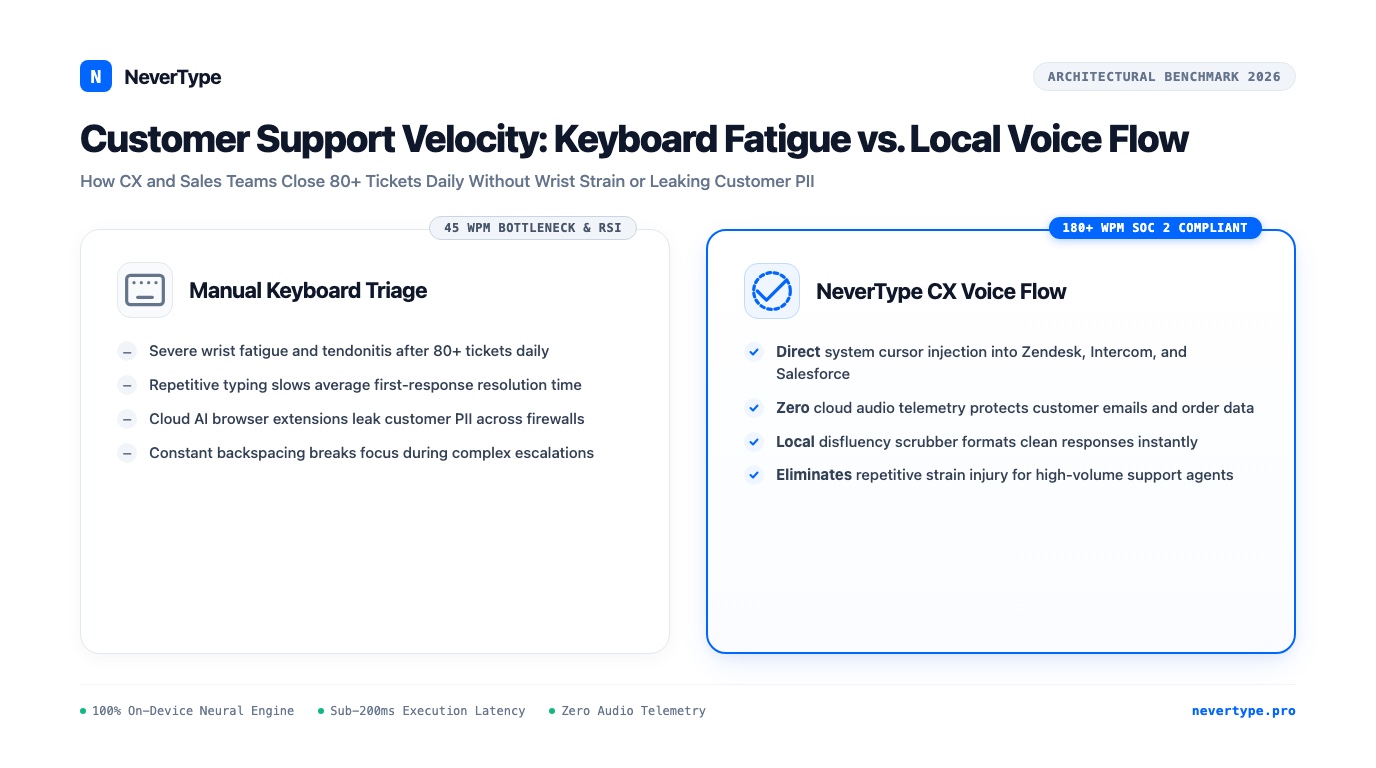
NeverType eliminates the compliance hazard by handling the entire speech pipeline on your local computer's processor.
On-Device Execution for CX Reps:
[Microphone Audio]
       │ (Held strictly in local RAM ring buffer)
       ▼
[Local Neural Transformer Engine (Metal / DirectML)]
       │ (Sub-180ms Latency, 0 External Sockets Opened)
       ▼
[Instant Text Injection at Cursor]
       │
       ▼
Zendesk Reply Box / Intercom Chat / Salesforce Case Notes / Slack Internal Threads
Because zero network packets leave your computer, your company's customer data never touches an external server. You get the speed of speech without triggering a security audit.
| Metric | Cloud Dictation SaaS (Wispr Flow) | Standard Macros | NeverType On-Device Engine |
|---|---|---|---|
| Response Velocity | 700ms–1,500ms network lag | Instant (canned text) | Sub-180ms real-time typing |
| Personalization Level | High | Low / Robotic | High & Empathetic |
| PII & SOC 2 Compliance | High risk (audio leaves machine) | Compliant | 100% Compliant (Zero telemetry) |
| Where It Operates | Limited web inputs | App-specific shortcuts | Universal cursor injection |
| Tendonitis / RSI Relief | Moderate | None (heavy typing) | Maximum (Replaces 80% of typing) |
| Pricing | $15/seat/month forever | Bundled in helpdesk | Transparent team / lifetime licenses |
4. The 80-Ticket Daily Playbook
Here is how our customer-facing engineers use NeverType to power through heavy ticket backlogs:
1. Hybrid Macro and Voice Composition
Do not abandon your macros completely. Use your helpdesk shortcuts to stamp the standard header and ticket metadata, then use NeverType to dictate the personalized core:
- Type your macro shortcut (e.g.,
;refund) to load the company policy boilerplate. - Hit your NeverType global push-to-talk hotkey.
- Speak the customer's specific situation:
"I went ahead and reviewed your billing logs from Tuesday morning. It looks like the duplicate invoice was triggered because your webhook timed out during the second retry attempt. I've already credited the forty-five dollars back to your Visa ending in 8812, and you should see that reflected in your account within two business days."
- Release the hotkey. The paragraph lands instantly under your cursor with proper capitalization and punctuation.
Total elapsed time: twenty seconds.
The customer receives an authentic, thoughtful reply from an actual human, while the agent's wrists remain completely relaxed.
2. Rapid CRM Deal Notes for Account Executives
Sales reps notoriously hate updating Salesforce and HubSpot. After a 45-minute prospect discovery call, the last thing an AE wants to do is spend fifteen minutes typing bullet points into twenty different form fields.
With NeverType:
- Click into the Next Steps field.
- Speak: "Prospect wants to move forward with the enterprise tier for twenty-five seats. Primary blocker is SOC 2 compliance documentation and custom SAML SSO setup. Scheduled follow-up demo with their head of security for next Thursday at 2 PM."
- Tab to the next field and repeat.
A routine that used to take fifteen minutes of painful typing takes under ninety seconds of speaking.
5. Ending the Physical Toll of Customer Service
Customer support and sales are cognitively demanding jobs. You spend your day absorbing user frustration, troubleshooting complex software bugs, and meeting tight operational targets.
You should not have to sacrifice the health of your hands and wrists just to answer your queue.
By replacing mechanical keyboard friction with low-latency local speech, you protect your body from repetitive strain injury while delivering the fastest, most empathetic support your customers have ever experienced.