
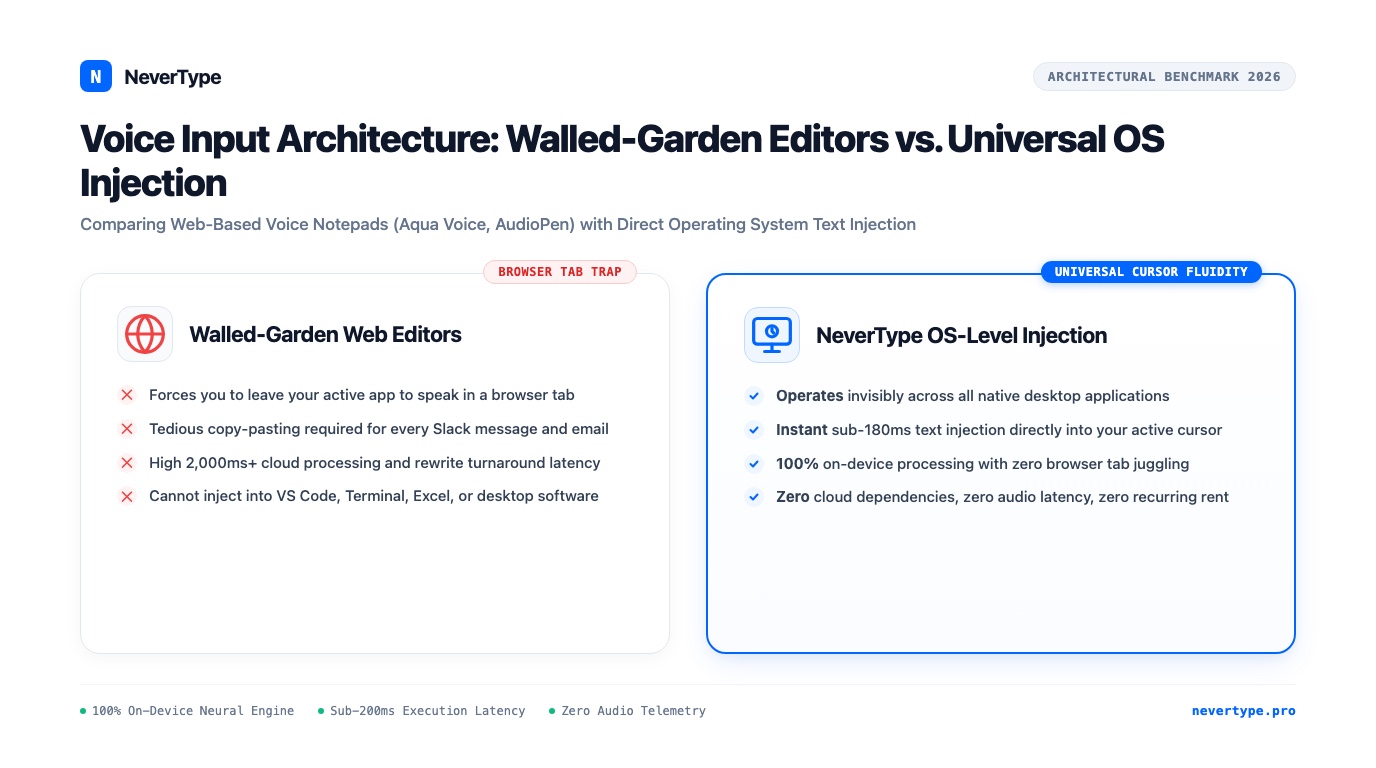
The entire promise of AI voice typing was supposed to be speed.
Yet three months ago, my daily workflow had turned into an absurd game of multi-window gymnastics.
I was working in VS Code, deep in the middle of a refactor. I needed to write a detailed pull request description explaining why we swapped out a Redis lock for a Postgres advisory lock.
Instead of typing, I followed the workflow popularized by tools like Aqua Voice and AudioPen:
- I pressed
Cmd + Tabto leave my terminal and switch to a browser window. - I clicked into an open web tab running their proprietary voice notepad.
- I clicked a glowing blue microphone button.
- I spoke for ninety seconds, explaining the deadlocks we observed during staging load tests.
- I clicked stop and waited six seconds while a cloud LLM "rewrote" my speech into clean prose.
- I highlighted the generated text, hit
Cmd + Cto copy it. - I pressed
Cmd + Tabback to GitHub in another browser window, clicked into the PR description box, and hitCmd + V.
When I finally pressed submit, I sat back in my chair and laughed out loud.
I had spent two minutes juggling tabs, clicking buttons, waiting on cloud network spinners, and copy-pasting text across three windows just to avoid typing on a keyboard.
The tool hadn't simplified my work. It had just inserted a web browser middleman into my sentence.
1. The Walled-Garden Web Trap
Over the past two years, dozens of "AI voice note" and "voice-to-text" tools have launched with beautiful landing pages: Aqua Voice, AudioPen, Granola, and Bluedot.
They all share the exact same underlying architecture:
Walled-Garden Web App Pipeline (Aqua Voice / AudioPen):
[Your Active Work] ──> [Tab Switch] ──> [Cloud Web Page] ──> [Record Audio]
                                                                    │
                                                                    ▼
                                                        [Cloud Server Processing]
                                                                    │
                                                                    ▼
[Your Active Work] <── [Cmd + Tab] <── [Cmd + C Copy] <── [Web Text Box]
These tools are built as web-based silos. They give you a clean text editor inside their own web application, record your voice through your browser's WebRTC microphone API, stream the audio to an external cloud API, apply a prompt-engineered language model to reformat what you said, and display the result inside their own proprietary document box.
That architecture is fine if you are writing a standalone diary entry or brainstorming a vague marketing newsletter from scratch on a Sunday afternoon.
However, real knowledge work does not live inside an isolated browser tab.
Real work lives inside your tools:
- In your code editor (VS Code, Cursor, Neovim, JetBrains).
- In your terminal (bash, zsh, tmux).
- In your team communication channels (Slack, Discord, Microsoft Teams).
- In your issue tracking software (Linear, Jira, GitHub Issues).
- In your personal knowledge base (Obsidian vaults, local Markdown files, Notion).
Having to leave your active cursor, open a web browser, talk into a web tab, copy the result, and paste it back into your actual work destroys your attention span.
2. The Native Alternative: Direct Operating System Injection
NeverType was built on a fundamentally different engineering premise: Your voice tool should not have an interface.
NeverType operates as an invisible, native desktop accessibility instrument.
NeverType Universal Direct Injection Pipeline:
[Your Active Cursor in Any App]
       │ (Hold Global Push-to-Talk Hotkey)
       ▼
[Microphone Audio Captured into RAM]
       │ (Direct On-Device Neural Tensor Execution)
       ▼
[Sub-180ms Synthesized Text]
       │ (Direct OS Accessibility Keystroke Injection)
       ▼
[Text Appears Exactly Where Your Cursor Blinks]
(VS Code, Slack, Terminal, Obsidian, Excel, Figma, Word)
There is no web browser. There is no tab switching. There is no copy-paste dance.
Whether your cursor is focused inside an Obsidian vault, a Terminal git commit command (git commit -m "..."), a Slack DM to your designer, or a cell note in Microsoft Excel, you simply hold down your global hotkey, speak naturally, and release.
The text materializes directly into your document at the speed of thought.
3. Head-to-Head Comparison: Web Silos vs. System Instrument
Here is how browser-based voice tools compare against a native desktop speech instrument:
| Usability Metric | Walled Web Apps (Aqua Voice / AudioPen) | NeverType Desktop Instrument |
|---|---|---|
| Where You Can Dictate | Strictly inside their browser tab | Every single app across your OS |
| Workflow Friction | Requires window switching & copy-pasting | Direct cursor injection (Zero clicks) |
| Response Latency | 3,000ms–8,000ms cloud round-trip | Sub-180ms instantaneous on-device |
| Offline Reliability | Useless without high-speed internet | 100% functional on airplanes & offline |
| Privacy & Security | Audio streamed to remote multi-tenant clouds | Zero bytes leave local RAM (Air-gapped) |
| Text Transformation | Heavy cloud LLM rewriting (often robotic) | Crisp natural prosody & filler scrubbing |
| Operating System Support | Web browser only | macOS (Metal), Windows 11, and Linux |
| Pricing Economics | $10–$20/month recurring subscription | Transparent lifetime license option |
4. The Cloud "Over-Smoothing" Trap
One of the biggest frustrations with web-based voice apps like AudioPen is what developers call "AI over-smoothing."
Because these tools route your raw voice through cloud LLMs instructed to "clean up and structure" your words, they frequently strip out the authentic, natural voice of the speaker.
You dictate an energetic, candid two-minute breakdown of a technical problem:
"Look, the reason our cache invalidation is breaking isn't the Redis TTL. It's because the webhook handler in billing is firing three duplicate events on every charge retry, so the worker threads race each other and overwrite the dirty flag."
A browser voice app runs that speech through an aggressive cloud rewrite prompt and turns it into generic corporate consulting jargon:
"In order to re-architect our distributed systems, we must address the underlying concurrency paradigms within the billing subsystem..."
It sounds like a LinkedIn post written by an algorithm. You have to spend thirty seconds manually editing out the robotic cliches just to make the message sound like a real human again.
NeverType does not perform aggressive semantic rewriting.
Instead, it applies precision acoustic signal processing:
- It parses your vocal cadence and natural breathing pauses to place accurate commas, periods, and em-dashes.
- It strips out disfluencies: the "ums," "ahs," repeated words, and throat-clearing.
- It preserves your exact technical vocabulary, your idioms, and your sentence structure.
What lands on your screen is your actual thought, formatted cleanly without sounding like corporate slop.
The best tools get out of your way. Fast. They don't fight for your attention.
If you enjoy sitting inside a specialized browser tab to write personal journaling, tools like Aqua Voice have their place.
Real work is messy. If you jump between ten desktop apps every hour, you can't afford to waste half your afternoon juggling browser windows and pasting text across screens.
Your voice belongs at the operating system level. Wherever your cursor blinks, your voice should type. Test it yourself with the NeverType free trial or review our lifetime license plans.
Frequently Asked Questions
Why does system-wide voice dictation beat browser-based voice notepads?
Browser-based voice notepads like Aqua Voice or AudioPen trap your speech inside a single web tab, forcing you to copy and paste text into your actual apps. NeverType operates at the operating system level via native accessibility hooks, injecting transcribed text directly wherever your cursor is focused across VS Code, Slack, Obsidian, Terminal, and Microsoft Word with sub-180ms latency.
Does NeverType upload my voice to cloud servers like AudioPen?
No. NeverType processes 100% of speech inference locally on your machine using Apple Silicon Metal or Windows DirectML tensor cores. Audio buffers stay in volatile RAM and are overwritten immediately upon dispatch. Zero audio packets leave your computer.