
It was 11:42 PM on a Tuesday.
My brain had just pieced together an entire system design architecture for an analytics pipeline, complete with database schema edge cases, cache invalidation rules, and two fallback worker queues. It felt brilliant. It felt crystal clear.
I cracked open a blank note in Obsidian, placed my fingers on home row, and typed the first eight words.
Then my working memory vanished.
By the time my index finger reached for the backspace key to fix a mangled double-letter typo, the entire second half of the architecture evaporated into thin air. My dopamine crashed right alongside it. I stared at the pulsing cursor for twelve agonizing seconds, clicked over to a browser tab to check a random Wikipedia article on mechanical switches, and lost forty-five minutes to the void.
If you have ADHD, you know this specific brand of quiet agony.
You do not suffer from a lack of ideas. You suffer from a bandwidth bottleneck.
1. The Neurochemistry of the 45 WPM Typing Bottleneck
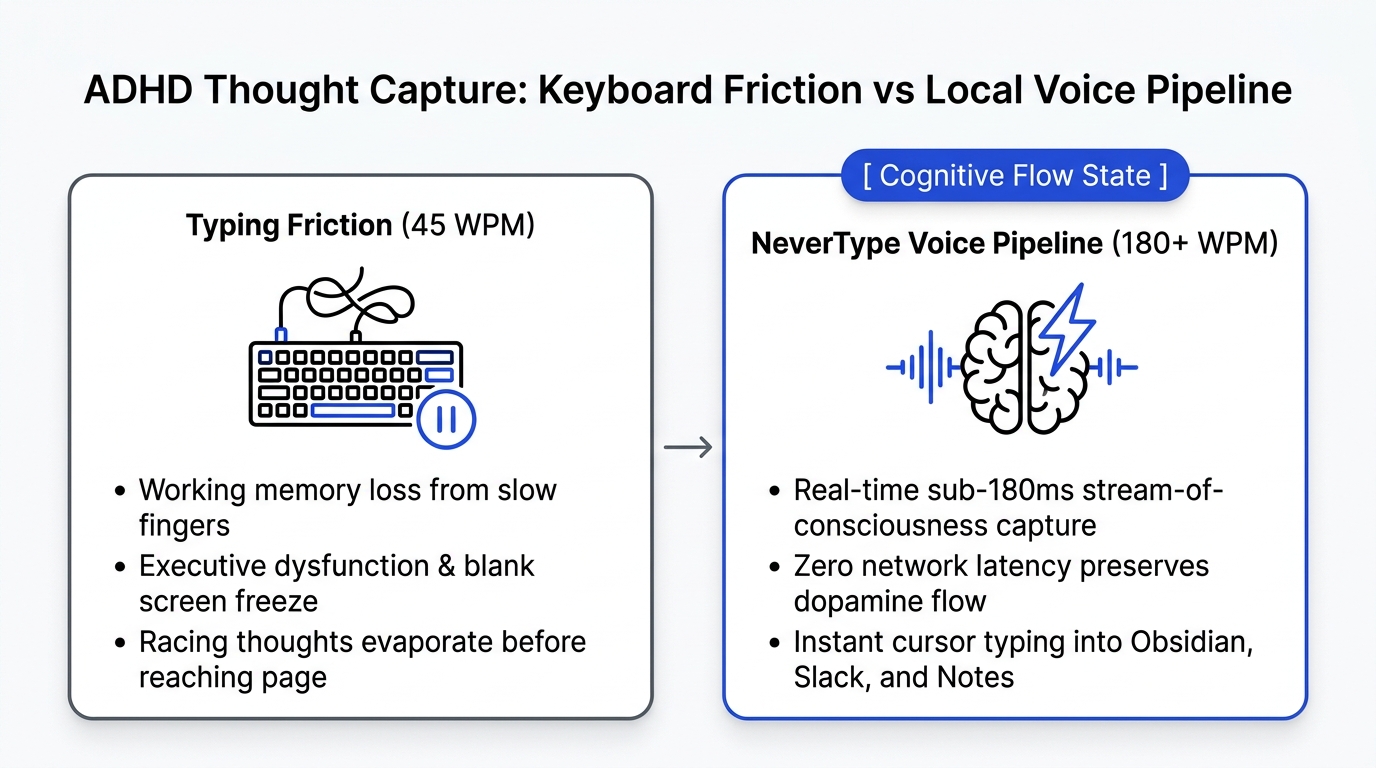
Your brain composes sentences at 180 to 240 words per minute. Ten physical fingers typing on plastic keycaps top out around 45 to 65 words per minute.
ADHD Cognitive Pipeline (Typing):
[Hyper-Speed Thought (220 WPM)]
       │
       ▼
[Motor Execution Bottleneck (50 WPM)] ──> [Attention Drifts / Typo Friction]
       │
       ▼
[Working Memory Decay (4-7 Seconds)]  ──> [Task Paralysis & Abandoned Notes]

ADHD Cognitive Pipeline (NeverType Local Voice):
[Hyper-Speed Thought (220 WPM)]
       │
       ▼
[Vocal Stream-of-Consciousness]
       │
       ▼
[On-Device Tensor Inference (<180ms)] ──> [Direct Markdown Insertion into Obsidian]
That math is brutal for neurotypical people. For an ADHD brain, it is fatal to productivity.
ADHD working memory operates like volatile, low-capacity RAM without a swap partition. Cognitive scientists call this "temporal decay." When an unprompted idea hits your prefrontal cortex, you have roughly four to seven seconds to pin it down before a passing stimulus overrides the buffer.
When you type, three friction points choke your attention:
- Motor micro-stalls: Every misspelled word forces your visual attention to stop, re-read the mistake, hit backspace four times, and re-type the letters. That half-second pause breaks the neural trance.
- The blank page freeze: Executive dysfunction feeds on visual emptiness. Staring at an empty white rectangle turns composition into an interrogation.
- Premature structural editing: You cannot write the third paragraph because your eyes keep darting up to re-order the clauses in the first sentence.
Speaking bypasses that entire motor-planning circuit.
You talk at the exact speed your internal monologue fires. The thoughts pour straight out of your mouth before your inner critic wakes up to censor them.
2. Why Most Voice Apps Make ADHD Worse (The Latency Trap)
A lot of ADHDers try voice dictation once, hate it, and write off the entire medium forever.
I understand why. Most voice typing software feels like wrestling with a moody automated phone tree.
The Problem With Cloud Dictation (Wispr Flow, Siri, Cloud Whispers)
When you speak into a tool that relies on remote cloud servers, your audio travels across residential Wi-Fi, hits an API gateway, queues behind other users, processes on remote GPUs, and trickles back down to your desktop.
That trip takes 600ms to 1.5 seconds.
For an ADHD brain, a 1-second delay is an eternity. You finish speaking a sentence, nothing appears on your screen, and you instantly think: Did it hear me? Did the microphone cut out? Should I say it again?
You hesitate. You lose your train of thought. By the time the text chunks onto the screen, your flow state is dead.
The Problem With Built-in OS Dictation (Apple Dictation / Windows Voice)
Apple Dictation and Windows Voice Typing come with their own distinct insults:
- Apple Dictation has a rigid 30-second timeout that cuts you off mid-breath.
- They print every single "um," "uh," throat-clear, and false start verbatim.
- You have to awkwardly speak punctuation out loud like a 1980s teletype operator ("Hello comma how are you question mark").
Nobody thinks in spoken punctuation. When you have to interrupt an intense conceptual breakthrough to articulate the word "semicolon," you shatter your working memory.
3. How NeverType Creates a Frictionless ADHD Brain Dump
NeverType runs a local Whisper speech model directly on your computer's silicon (Apple Silicon Metal GPU on Mac, DirectML on Windows, uinput on Linux).
Because the audio never leaves your machine's unified memory, end-to-end response latency stays under 180 milliseconds.
Latency vs. Attention Span:
┌─────────────────────────────────────────────────────────────┐
│ Cloud Voice Tools (Wispr / Cloud APIs): 700ms - 1,400ms Lag │
│ [Break in flow] ──> [Hesitation] ──> [Working Memory Lost]  │
├─────────────────────────────────────────────────────────────┤
│ NeverType On-Device Engine: <180ms Response                 │
│ [Instant Text]  ──> [Continuous Momentum] ──> [Deep Flow]   │
└─────────────────────────────────────────────────────────────┘
The words materialize in your active document almost the instant the sound leaves your vocal cords. There is zero loading ring. There is no awkward silence where you wonder if the machine crashed.
Here is how the architecture protects neurodivergent focus:
| Feature | Standard Cloud Dictation | Built-in OS Tools | NeverType Local Engine |
|---|---|---|---|
| Response Latency | 700ms–1,500ms (High lag) | 400ms–800ms | Sub-180ms (Instantaneous) |
| Punctuation | Spoken commands or rigid rules | Manual voice tags | Automatic prosody & cadence parsing |
| Filler Scrubbing | Cloud LLM rewrite delay | Zero (keeps every "um") | Instant RAM disfluency scrubbing |
| Session Length | Often capped by token limits | 30-second hard cutoff | Infinite continuous monologue |
| Where It Types | Walled web app or floating box | Selected inputs only | Directly at any active OS cursor |
| Data Privacy | Audio stored on cloud disks | Sent to Apple/Microsoft | 100% on-device (Zero telemetry) |
4. The 3-Step ADHD Brain-to-Text Protocol
This is the exact ritual I use every afternoon when my brain feels like twenty browser tabs screaming over each other:
Step 1: Open an Unformatted Scratchpad
Do not open a fancy structured database. Do not pick a template.
Open a blank Obsidian note, a simple TextEdit document, or a fresh VS Code scratch buffer (Cmd + N). Turn down the screen brightness slightly if visual stimulation is bothering you.
Step 2: Hit Your Global Hotkey and Rambling Monologue
Press your push-to-talk key (I map mine to Right Option on Mac, or a thumb button on my trackball mouse).
Close your eyes. Look out the window. Pace around your standing desk.
Do not try to speak in complete, polished sentences. Just narrate the chaotic tangled yarn ball in your head:
"Okay so we need to fix the onboarding dropoff because users get confused on step two where we ask for their credit card before they see the dashboard. What if we defer the Stripe setup until they actually create their first project? That way they get immediate dopamine from the first win and then we gate the export feature instead..."
NeverType cleans up the verbal pauses, discards the false starts, figures out where the natural commas and periods belong based on your breath cadence, and dumps clean paragraphs directly under your cursor.
Step 3: Walk Away Before You Edit
This is the golden rule.
When you release the hotkey, do not immediately edit the text. Get up. Grab a glass of water. Let your dopamine reset.
When you sit back down three minutes later, you are no longer staring at a terrifying blank screen. You are looking at 400 words of usable raw material. Turning messy paragraphs into actionable bullet points takes 10% of the executive function required to originate them from scratch.
5. Capturing Thoughts Wherever You Work
The beauty of a background accessibility instrument is that it follows you across your operating system.
- Slack replies without the agony: Instead of overthinking a 2-sentence reply to a teammate for twenty minutes while the message sits marked as unread, press your hotkey, speak your thoughts, and hit enter.
- Meeting debriefs: As soon as a Zoom call ends, hit your hotkey and talk for sixty seconds about what was actually agreed upon before the details dissolve.
- Code documentation: Dictate tricky algorithm edge cases directly into comments inside Cursor, VS Code, or PyCharm while the logic is still fresh in your head.
Your thoughts move too fast to be trapped behind an 1874 typewriter keyboard. Give your voice the bandwidth it deserves.