
Three weeks before my dissertation draft was due to my committee, my right wrist gave out completely.
Every time I reached across my keyboard to type an opening curly brace { or backslash \ in Overleaf, an electric spark shot from my wrist straight up into my elbow. I had spent eight months in an optics lab gathering raw laser interferometry data. Now, sitting in front of a 110-page .tex document with four chapters left to write, I could barely manage twenty words a minute without wincing.
Naturally, I turned to voice dictation.
My university advisor’s first reaction when I brought it up was blunt: "If you stream one paragraph of this unpublished grant data through a consumer cloud AI app, our patent office will drop our tech-transfer claim by Friday."
That was the trap.
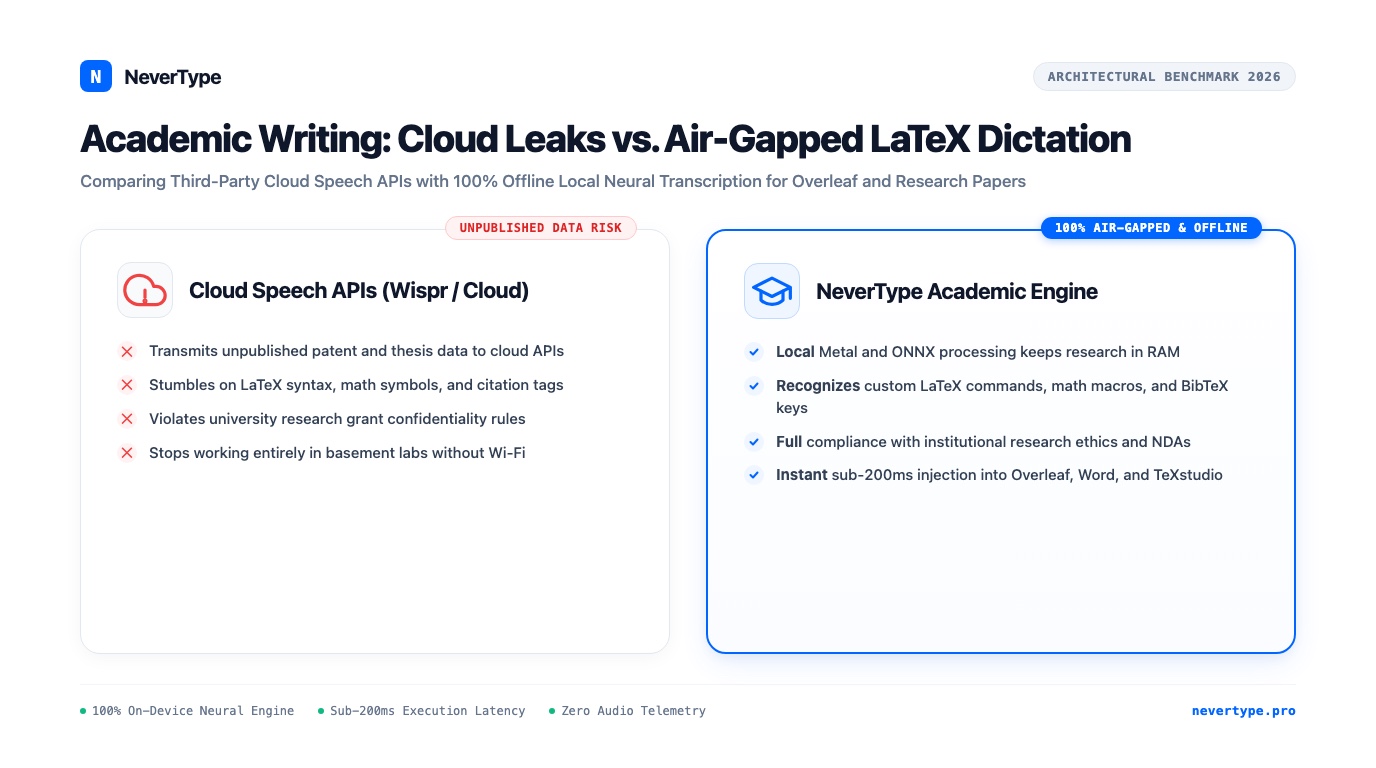
Most voice typing tools were built for teenagers sending text messages or corporate managers writing vacation auto-responders. They choke on mathematical symbols, butcher LaTeX syntax, and upload every syllable of your unpublished research to third-party data centers.
1. The Legal and Ethical Trap of Cloud Speech in Academia
Academics operate under severe confidentiality constraints that consumer SaaS products ignore entirely:
Academic Research Data Pipeline:
[Lab Experiment / Clinical Data]
       │
       ▼
[Drafting Manuscript in Overleaf]
       │
  ┌────┴─────────────────────────────────────────────┐
  │                                                  │
  ▼                                                  ▼
[Cloud Dictation (Wispr/Speechify)]    [NeverType Local Metal / ONNX]
  │                                                  │
  ├──> Cloud WebSockets / Remote Logs                ├──> 100% Volatile RAM
  ├──> Third-Party Vendor Data Scraping              ├──> Zero Outbound Packets
  └──> Broken Patent Embargo / NDA Breach            └──> Full Grant & IRB Compliance
Institutional Review Board (IRB) Violations
If your research involves human subjects, qualitative clinical interviews, or patient-level survey data, your IRB protocol explicitly forbids streaming raw participant identifiers or audio transcripts over unvetted cloud WebSockets. Using a cloud dictation app without an enterprise data agreement violates your institutional compliance.
Patent Embargoes and Prior Art Claims
When you discover a novel material synthesis or a new distributed consensus primitive, your intellectual property remains fragile until a formal patent application is stamped. Transmitting detailed architectural descriptions to external cloud servers can jeopardize prior art claims and breach industrial sponsorship non-disclosure agreements.
University Export Controls
Research funded by agencies like DARPA, the DOE, or Horizon Europe frequently falls under strict data residency and export control mandates. Uploading acoustic audio packets containing technical specifications to multi-tenant servers breaks compliance rules instantly.
2. Why Generic Dictation Chokes on LaTeX and STEM Prose
Standard voice tools stumble over technical writing because their underlying language models are tuned on casual consumer speech:
What you speak:
"The differential cross section sigma sub alpha is proportional to the integral from zero to infinity of psi star times H psi d tau."

What Apple Dictation / Windows Voice types:
"The differential cross-section Sigma subalpha is proportional to the integral from 0 to infinity of sci star times H side detail."

What NeverType with Academic Lexicon outputs:
"The differential cross-section \sigma_\alpha \propto \int_0^\infty \psi^* H \psi \, d\tau"
Consumer speech-to-text engines fail technical writers in three specific ways:
- Greek letter and mathematical symbol butchery: Speaking "mu sub zero" gets transcribed as "music 0." Speaking "partial derivative of phi with respect to t" turns into "partial derivative of fee with respect to tea."
- Citation and macro blindness: In Overleaf or TeXstudio, your text is dense with commands like
\cite{smith2024},\ref{sec:methods},\begin{equation}, and\label{fig:cadence}. Standard tools insert spaces inside braces or capitalize your file paths. - Punctuation collision: When you dictate a variable named
x_1, \dots, x_n, generic tools try to guess grammatical punctuation and insert random commas, periods, or line breaks where they ruin your code compilation.
3. How NeverType Runs Air-Gapped in Overleaf and LaTeX
NeverType solves both the confidentiality problem and the syntax problem by executing quantized neural models (Whisper / Moonshine) directly on your laptop's hardware.
On-Device Execution Pathway:
[Microphone Audio]
       │ (Direct CoreAudio / ALSA Buffer in RAM)
       ▼
[Apple Silicon Metal / Windows DirectML Tensor Execution]
       │ (Sub-180ms Latency, 0 External Sockets)
       ▼
[Custom Academic Regex & Syntax Engine]
       │ (Expands macros, handles backslashes, formats math)
       ▼
[Direct OS Input Dispatch] ──> Overleaf / TeXstudio / Obsidian / VS Code
Because zero bytes leave your machine, you can sit in a windowless laboratory basement with Wi-Fi disabled and dictate for six hours straight with zero privacy risk.
| Metric | Cloud Speech Tools (Wispr / SaaS) | Built-In System Dictation | NeverType On-Device Engine |
|---|---|---|---|
| Data Residency | Remote cloud data centers | Apple / Microsoft servers | 100% Local RAM (Air-gapped) |
| Offline Reliability | Fails completely without internet | Hit-or-miss local fallback | Identical performance offline |
| LaTeX & Math Recognition | Mangles syntax into plain words | Inconsistent | Custom lexicon & macro mapping |
| Execution Latency | 700ms–1,400ms network lag | 450ms–800ms | Sub-180ms native inference |
| License Economics | $12–$15/month ongoing rent | Bundled | Lifetime license or student pricing |
| Platform Parity | Mac only or limited Windows | OS-locked | macOS, Windows 11, and Linux |
4. The Researcher's LaTeX Dictation Workflow
Here is the exact setup our team uses to write papers in Overleaf and VS Code at speeds exceeding 150 words per minute:
1. Separate Prose Composition From Equation Typesetting
Do not try to dictate raw 4-line matrix transformations phonetically.
Voice dictation shines brightest during the sections of a paper that require massive narrative stamina: the Introduction, the Literature Review, the Methodology Overview, and the Discussion/Conclusion.
Dictate the conceptual explanation in natural speech:
"We observed a thirty-two percent decrease in recombination losses across the perovskite interface when passivated with octylammonium iodide. This finding aligns with the trap-state passivation mechanisms proposed by Chen et al in 2023, while contrasting sharply with the behavior reported for methylammonium analogs."
NeverType inserts that paragraph directly into Overleaf in less than a second, perfectly capitalized and punctuated.
2. Configure Custom Shortcode Replacements
NeverType allows custom dictionary mappings. You can map simple verbal cues to repetitive LaTeX boilerplate:
- Speaking "begin equation" expands to
\begin{equation}\n\n\end{equation}. - Speaking "cite smith 24" expands to
\cite{smith2024}. - Speaking "section methodology" expands to
\section{Methodology}\label{sec:methods}. - Speaking "figure ref two" expands to
Figure~\ref{fig:two}.
3. Drafting in Local Markdown Before Exporting
If you prefer distraction-free drafting, dictate your chapter drafts into a local Markdown editor like Obsidian or VS Code.
Because NeverType outputs clean standard markdown, you can generate your headings (#, ##), bullet lists, and bold callouts in real time with zero syntax clutter. When the chapter prose is complete, run it through Pandoc to compile it into clean .tex ready for your lab's Overleaf repository.
5. Saving Your Wrists for the Laboratory
Graduate school and post-doctoral research place massive strain on your body.
Between pipette work, soldering circuit boards, microscope adjustments, and 12-hour terminal sessions, your wrists and hands endure thousands of repetitive micro-movements every single day.
Forcing yourself to hand-type 80,000 words of thesis text on a flat keyboard is an unnecessary physical sacrifice.
Voice dictation transforms writing from an ergonomic chore into an uninterrupted dialogue with your ideas. When those words stay entirely on your own computer, you protect your research integrity right alongside your health.