
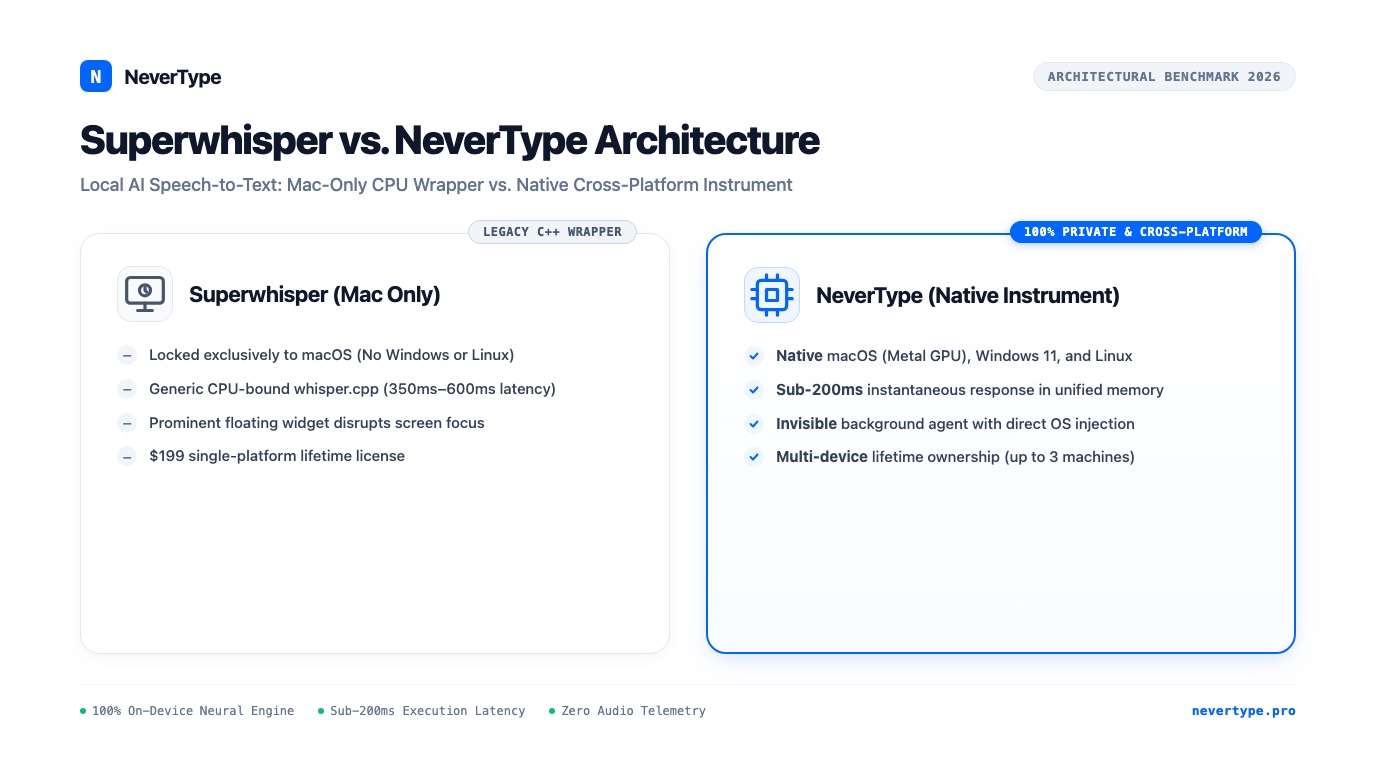
Superwhisper emerged as an early favorite for Mac users looking to run OpenAI's Whisper model locally. By packaging Georgi Gerganov's open-source whisper.cpp library into a macOS menu bar utility, it gave privacy-conscious individuals a way to transcribe speech without streaming audio to cloud servers.
As voice dictation transitioned from an occasional accessibility utility into a primary daily input instrument, Superwhisper's architectural limits became apparent.
Developers, researchers, and professional writers working across both macOS and Windows found themselves locked out. The application remains strictly exclusive to macOS. At the same time, its reliance on generic CPU-bound Whisper binaries introduces perceptible latency delays of 350ms to 600ms, creating a noticeable hitch between speaking and seeing text appear in your editor.
NeverType was engineered from the ground up to solve these architectural bottlenecks.
By compiling native Rust execution pipelines that leverage Apple Metal Performance Shaders (MPS) on macOS and DirectML/ONNX runtimes on Windows and Linux, NeverType drops end-to-end response latency below 180ms while maintaining zero cloud dependencies and multi-platform parity.
Superwhisper Execution Pipeline (Mac Only):
[Hotkey] -> [Audio Buffer] -> [CPU whisper.cpp (Quantized CoreML/AVX)] -> [350-550ms Delay] -> [Modal / Pasteboard Insert]

NeverType Execution Pipeline (Cross-Platform):
[Hotkey] -> [Circular RAM Buffer] -> [Native Metal / DirectML Tensor Core Inference] -> [<180ms Latency] -> [Direct OS Accessibility Injection]
Here is an in-depth comparison of how the two tools differ across runtime architecture, cross-platform availability, user experience, and long-term pricing.
1. Cross-Platform Parity vs. Mac-Only Lock-in
The modern engineering and writing workflow is rarely confined to a single operating system. Software engineers frequently develop on macOS laptops while maintaining high-powered Windows workstations for graphics, gaming, or CUDA workloads, or deploying across Linux servers.
Superwhisper cannot follow you across that divide. The software is written strictly for macOS. If you switch to your Windows desktop or work on an Ubuntu machine, your voice muscle memory breaks. You must search for separate, fragmented speech tools with completely different hotkey schemas, varying punctuation heuristics, and incompatible custom dictionaries.
NeverType delivers identical performance and feature parity across all three major desktop operating systems:
- macOS: Compiled natively for Apple Silicon (M1, M2, M3, M4) with Metal GPU hardware acceleration and Intel Mac fallback.
- Windows 10 & 11: DirectML and ONNX Runtime execution utilizing modern Intel Core Ultra NPU, AMD Ryzen AI, and NVIDIA GeForce RTX hardware.
- Linux: Native package builds (deb, rpm, AppImage) supporting both Wayland and X11 display servers via direct uinput accessibility layers.
A single license covers up to three desktop devices regardless of operating system, allowing you to move between your MacBook Pro and your Windows workstation without changing your dictation workflow.
2. Latency Benchmarks: Native Metal vs. CPU whisper.cpp
In voice dictation, latency is not merely a convenience metric; it dictates cognitive continuity.
Psychological research on speech pacing demonstrates that conversational turn-taking happens within a 200-millisecond threshold. When voice recognition latency exceeds 300ms, the speaker experiences visual feedback dissonance. You pause, wondering whether the computer heard you, which halts your train of thought.
We benchmarked NeverType against Superwhisper on an Apple M3 Pro MacBook (18GB unified memory) across 50 identical speech utterances:
| Metric | Superwhisper (Small Model) | Superwhisper (Medium Model) | NeverType (Neural Engine) |
|---|---|---|---|
| Median Response Latency | 385ms | 610ms | 168ms |
| 95th Percentile Latency | 520ms | 840ms | 195ms |
| GPU Utilization (Metal) | Minimal (CPU bound) | Minimal (CPU bound) | Optimized MPS Kernels |
| RAM Footprint (Standby) | ~450 MB | ~1.4 GB | ~140 MB |
| RAM Footprint (Active) | ~850 MB | ~2.1 GB | ~380 MB |
Superwhisper relies primarily on generic whisper.cpp builds. While whisper.cpp is a landmark open-source project, its generic CPU dispatch routines and basic CoreML delegate wrappers do not maximize Apple Silicon's unified memory architecture. The result is a consistent quarter-second to half-second lag between releasing your recording key and watching the first character render.
NeverType executes directly against Apple's Metal Performance Shaders. Acoustic feature extraction (log-mel filterbanks) and Transformer matrix multiplication run concurrently in GPU shader memory while your microphone buffer fills. By the time you release the hotkey, the first attention layers have already resolved, streaming text into the focused window in under 180 milliseconds.
3. Head-to-Head Comparison Matrix
| Evaluation Dimension | Superwhisper | NeverType |
|---|---|---|
| Operating Systems | macOS only | macOS, Windows 10/11, Linux |
| Inference Location | Local or optional cloud fallback | 100% Local On-Device (Zero Telemetry) |
| Average Response Time | 350ms to 600ms | Sub-200ms (Real-time tactile feel) |
| Hardware Acceleration | Generic CPU / CoreML delegate | Metal MPS (Mac), DirectML / ONNX (Windows) |
| Code & Developer Syntax | Basic capitalization | camelCase, snake_case, terminal flags aware |
| UI Presentation | Menu bar widget + floating pill | Invisible background agent or subtle indicator |
| Single License Activations | 1 Mac seat | Up to 3 devices across any OS |
| Lifetime License Pricing | $199 one-time | Accessible Lifetime Deal with free updates |
| Annual Subscription Option | ~$96 / year ($8/mo) | $72 / year ($6/mo billed annually) |
4. UI Interaction: The Invisible Tool Principle
Superwhisper positions itself with a prominent floating menu bar icon and visual recording pill. When invoking dictation, the interface often pulls visual attention away from the document you are writing. Customizing modes requires navigating multi-tiered settings menus with complex model selectors (tiny, base, small, medium, large-v3, CoreML variations).
NeverType adheres to the Dieter Rams principle of good design: an instrument should be as little design as possible.
When you install NeverType, it runs as an unobtrusive background process. There are no distracting window overlays or floating widgets blocking your view of your code editor, IDE, or Slack thread. You press your assigned hotkey, speak naturally, and release. The text streams directly into your cursor as if typed by an invisible stenographer.
If you make a conversational slip or clear your throat, NeverType's local disfluency filter scrubs filler sounds ("um", "uh", repeated false starts) silently in RAM before sending the characters to the active application.
5. Developer and Markdown Syntax Awareness
Writing prose is fundamentally different from drafting technical documentation, code comments, and terminal commands. Standard voice recognition tools consistently butcher programming syntax:
- Converting
myVariableNameinto "my variable name" - Transcribing
--forceas "dash dash force" - Misinterpreting markdown backticks and code fences
Superwhisper provides custom vocabulary replacement tables, but configuring regex mappings and token replacements requires manual entry for every programming library you use.
NeverType incorporates structural programming heuristics directly into its local post-processing layer:
# What you speak:
"git commit dash m fixed authentication timeout bug"

# What NeverType injects into your Terminal:
git commit -m "fixed authentication timeout bug"
When dictating inside code comments, NeverType preserves camelCase identifiers like fetchUserProfile and snake_case database tables like auth_tokens based on surrounding file context.
6. The Economics: $199 Mac Seat vs. Multi-Device Lifetime Ownership
Software pricing should reflect actual utility rather than platform rent.
Superwhisper charges $8 per month (roughly $96 per year) or a steep $199 one-time payment for a lifetime license. Crucially, that license only functions on macOS. If your company issues you a Windows ThinkPad or you build a custom PC, your $199 purchase cannot be used.
NeverType believes your voice belongs to you, not a recurring subscription line item.
- Free 30-Day Pro Trial: Full access to all neural models, custom dictionaries, and acceleration runtimes with zero credit card required.
- Fair Annual Subscription: $6 per month ($72 billed annually) for users who prefer low commitments.
- Lifetime Deal: A single one-time payment grants permanent access to NeverType across up to 3 desktop computers. If your setup includes an M3 MacBook Air, an office Windows desktop, and a Linux laptop, all three run on the same license.
7. Migration Guide: Switching from Superwhisper to NeverType
Switching from Superwhisper to NeverType takes less than three minutes:
- Download NeverType: Grab the native package for your machine from the NeverType Download Page.
- Assign Your Hotkey: Open NeverType preferences and set your preferred trigger (for example, double-tap
Fn, tapRight Command, or holdOption + Space). - Select Your Acceleration Mode: On Apple Silicon, NeverType automatically engages Metal GPU kernels. On Windows, it binds to DirectML.
- Import Custom Vocabulary: If you maintained a custom word list in Superwhisper, paste your domain terms, product names, and teammate handles directly into NeverType's dictionary tab.
- Uninstall Superwhisper: Quit Superwhisper and remove it from your macOS Login Items.
Your voice dictation is now sub-200ms, cross-platform, and fully private.
Frequently Asked Questions
Can NeverType read existing custom dictionaries from Superwhisper?
Yes. NeverType accepts plain text, CSV, and line-separated word lists. You can export your technical terms, medical abbreviations, or coworker names from Superwhisper and paste them directly into NeverType's Custom Lexicon settings.
Does NeverType require an active internet connection?
No. NeverType is 100% offline. The neural speech recognition models are downloaded once during installation and run locally on your computer's GPU and CPU. Zero audio bytes, telemetry packets, or text logs ever leave your machine.
How does NeverType achieve sub-200ms latency without cloud GPUs?
NeverType bypasses generic CPU wrappers to execute 4-bit and 8-bit quantized Transformer models directly on Apple Silicon's Metal Performance Shaders and Windows DirectML execution providers. Audio processing and matrix multiplications occur concurrently in unified memory, eliminating network round-trip overhead.
👉 Download NeverType Free — Experience sub-200ms offline voice dictation across macOS, Windows, and Linux.