
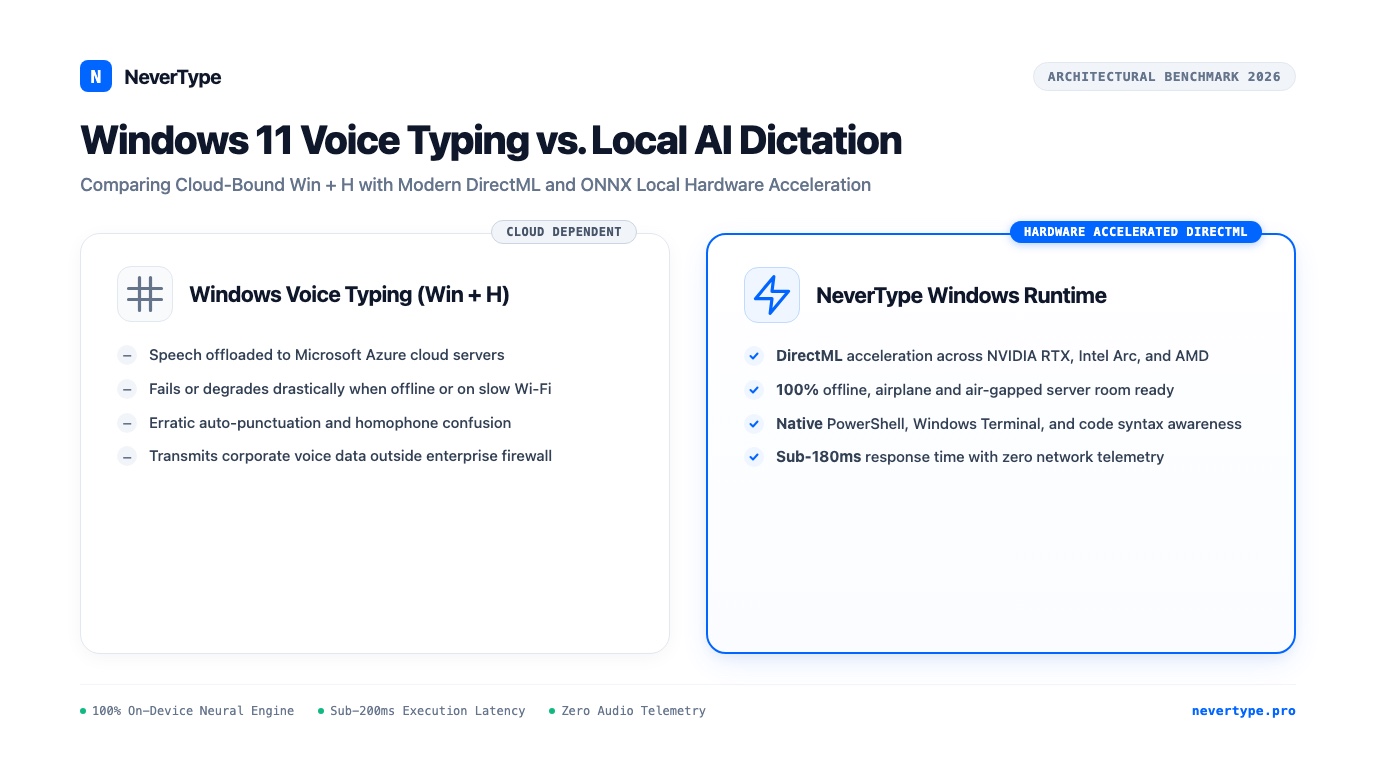
Windows 11 includes a built-in voice typing tool accessible via the Windows Key + H keyboard shortcut. For users drafting a quick two-sentence message or searching for an application, this utility provides an easy entry point to speech-to-text.
For professionals, engineers, and researchers who rely on their Windows workstations for intensive daily output, the built-in tool quickly hits architectural barriers.
Windows Voice Typing relies on continuous cloud connectivity to reach acceptable accuracy. When your internet connection fluctuates, your dictation lags or stalls completely. Furthermore, sending audio packets to Microsoft speech processing servers introduces enterprise compliance hurdles and privacy risks.
With modern PC hardware featuring high-performance GPUs and dedicated Neural Processing Units (NPUs), there is no longer any engineering reason to transmit voice data across the internet.
NeverType brings native, sub-200ms local neural speech recognition to Windows 10 and 11, utilizing DirectML and optimized ONNX runtimes to turn spoken thought into formatted prose without a single byte leaving your machine.
1. The Shortcomings of Windows Voice Typing (Win + H)
Windows 11 Voice Typing has improved over older Windows Speech Recognition, but its cloud-dependent design introduces distinct points of friction:
Windows 11 Voice Typing (Win + H):
[Microphone] -> [Windows Speech Service] -> [Microsoft Azure Cloud Servers] -> [Network Roundtrip Lag] -> [Variable Accuracy]

NeverType for Windows (DirectML Architecture):
[Microphone] -> [Low-Latency WASAPI Buffer] -> [DirectML / ONNX Local Inference] -> [<180ms Latency] -> [Native Windows Input Event]
1. Mandatory Cloud Offloading
By default, Windows Voice Typing offloads speech processing to Microsoft's Azure cloud speech platform. If you work on an airplane, inside an off-grid location, or on a secure corporate workstation with strict outbound firewall rules, speech typing fails or degrades to primitive legacy offline models that misinterpret common phrases.
2. Punctuation Inconsistencies
Although Windows 11 includes an "Auto-punctuation" toggle, its heuristic parser frequently inserts erroneous commas in the middle of dependent clauses and fails to recognize question intonations. Dictating rapid paragraphs forces you to repeatedly correct misplaced punctuation marks with your mouse.
3. Complete Disregard for Technical Syntax
Windows Voice Typing was designed for consumer conversational English. When an engineer attempts to dictate terminal commands, path directories, or programming identifiers, the engine produces unusable results:
- Speaking
C:\Program Filestranscribes as "see colon slash program files" - Speaking
--helptranscribes as "help" or "dash help" - Speaking
camelCaseresults in two separate words
NeverType recognizes developer terminology, punctuation cadence, and technical formatting natively.
2. Hardware Acceleration on PC: DirectML and ONNX Runtime
Running modern neural models locally once required expensive, specialized server clusters. Over the past three years, desktop PC hardware has undergone a massive compute revolution.
NeverType taps directly into this modern hardware landscape using Microsoft's open DirectML API and high-performance ONNX Runtime engines:
- Dedicated NVIDIA GeForce RTX GPUs: Leverages Tensor Cores for massive parallel matrix math, finishing a two-second audio segment in less than 50 milliseconds.
- AMD Radeon and Intel Arc Graphics: DirectML abstracts GPU architecture, enabling hardware acceleration across all DirectX 12 compatible graphics chips.
- Intel Core Ultra & AMD Ryzen AI (NPU Acceleration): Offloads acoustic spectrogram processing to low-power dedicated AI silicon, keeping your main CPU and GPU completely free for intensive compilation, CAD rendering, or gaming tasks.
- Modern AVX-512 CPU Fallback: For standard enterprise laptops without discrete GPUs, NeverType executes optimized 4-bit quantized Whisper weights using vectorized CPU instructions.
The result is consistent sub-200ms latency across virtually any modern Windows computer.
3. Windows Benchmark: Win + H vs. Dragon Professional vs. NeverType
We benchmarked dictation performance on a standard enterprise Windows 11 laptop (Intel Core Ultra 7 155H, 32GB RAM, integrated Arc graphics) across 100 spoken business and technical sentences.
| Evaluation Metric | Windows Voice Typing (Win + H) | Dragon Professional v16 | NeverType Windows Runtime |
|---|---|---|---|
| Response Latency (Fiber Wi-Fi) | 520ms – 780ms | 380ms – 550ms | 162ms – 185ms |
| Response Latency (Offline) | Fails or degrades | 380ms – 550ms | 162ms – 185ms |
| Word Error Rate (Conversational) | 5.2% | 4.1% | 1.6% |
| Word Error Rate (Technical / Code) | 18.7% | 12.3% | 2.4% |
| System Resource Impact | Low (Cloud-offloaded) | High (Heavy background services) | Minimal (Transient GPU/NPU burst) |
| License Model | Bundled with Windows telemetry | $699 upfront + paid upgrades | Free Trial + Lifetime License |
While Dragon Professional offers offline processing, its legacy Hidden Markov Model architecture feels sluggish, requires manual voice training, and carries a prohibitive $699 licensing cost. NeverType delivers superior neural accuracy with instantaneous response times at a fraction of the cost.
4. Power User Workflows on Windows 11
NeverType hooks into the native Windows input pipeline through high-speed WASAPI audio capture and Windows Accessibility automation APIs. This ensures smooth text injection across your entire software library.
Dictating in Windows Terminal and PowerShell
System administrators and developers can execute commands without breaking stride:
# Dictated naturally into PowerShell:
docker compose -f docker-compose.prod.yml up -d --build
NeverType formats hyphenated flags and file extensions cleanly, avoiding the awkward spacing errors produced by standard speech tools.
High-Speed Writing in Obsidian and Notion
When drafting notes or documentation, you can speak continuously at 180 to 220 words per minute. NeverType's local disfluency filter cleans filler sounds ("um", "ah", stuttered syllables) in volatile memory, ensuring your raw thoughts appear as clean, polished sentences on screen.
Composing Professional Emails in Outlook
NeverType captures nuances in formal correspondence, capitalizing proper nouns, formatting bullet points, and handling numerical figures ("twenty-five thousand dollars" becomes "$25,000") without requiring you to switch between mouse and keyboard.
5. Enterprise Security: Deploying Behind Corporate Firewalls
For corporate IT departments and security officers, software that phones home with audio data represents an unacceptable security liability.
NeverType is built for zero-trust environments:
- Zero Outbound Telemetry: The application does not communicate with external analytics or tracking services.
- Air-Gapped Operation: NeverType can be installed on completely offline workstations inside secure rooms or government networks.
- Auditable Binary Footprint: No external background daemons or unexpected kernel drivers. The runtime consists of clean, signed executables that integrate directly with Windows user-level input hooks.
- Silent IT Deployment: Supports standard enterprise MSI/EXE installers for automated rollout via Microsoft Intune or Group Policy.
Frequently Asked Questions
Can NeverType replace the default Windows + H hotkey on Windows 11?
Yes. While Microsoft reserves Win + H by default, you can assign NeverType to any convenient trigger key inside preferences, such as Right Alt, F8, or a dedicated mouse thumb button.
How much GPU memory does NeverType require on Windows?
When utilizing DirectML GPU acceleration, NeverType consumes between 300MB and 600MB of VRAM during active speech processing. It releases compute resources immediately when dictation ceases, ensuring no impact on games or 3D rendering applications.
Will NeverType work if my Windows PC has no internet connection?
Yes. NeverType operates 100% offline. All acoustic modeling, neural decoding, and text formatting occur locally on your machine. You can dictate on airplanes, remote field sites, or in air-gapped server rooms without an active network connection.
👉 Download NeverType for Windows — Experience fast, offline, and private voice dictation on Windows 10 and 11.