
If you write for a living—whether code, contracts, essays, or emails—your hands are performing one of the most mechanically unnatural tasks in human history.
An average knowledge worker strikes keyboard keys between 12,000 and 25,000 times every day. Each keystroke delivers a micro-impact through the distal phalanges, pulling the flexor tendons through the carpal tunnel in your wrist. Over five to ten years of heavy computer use, that friction produces chronic tendinitis, cubital tunnel syndrome, and repetitive strain injury (RSI).
Many professionals try to treat the symptom: split ergonomic keyboards, vertical mice, wrist braces, and physical therapy.
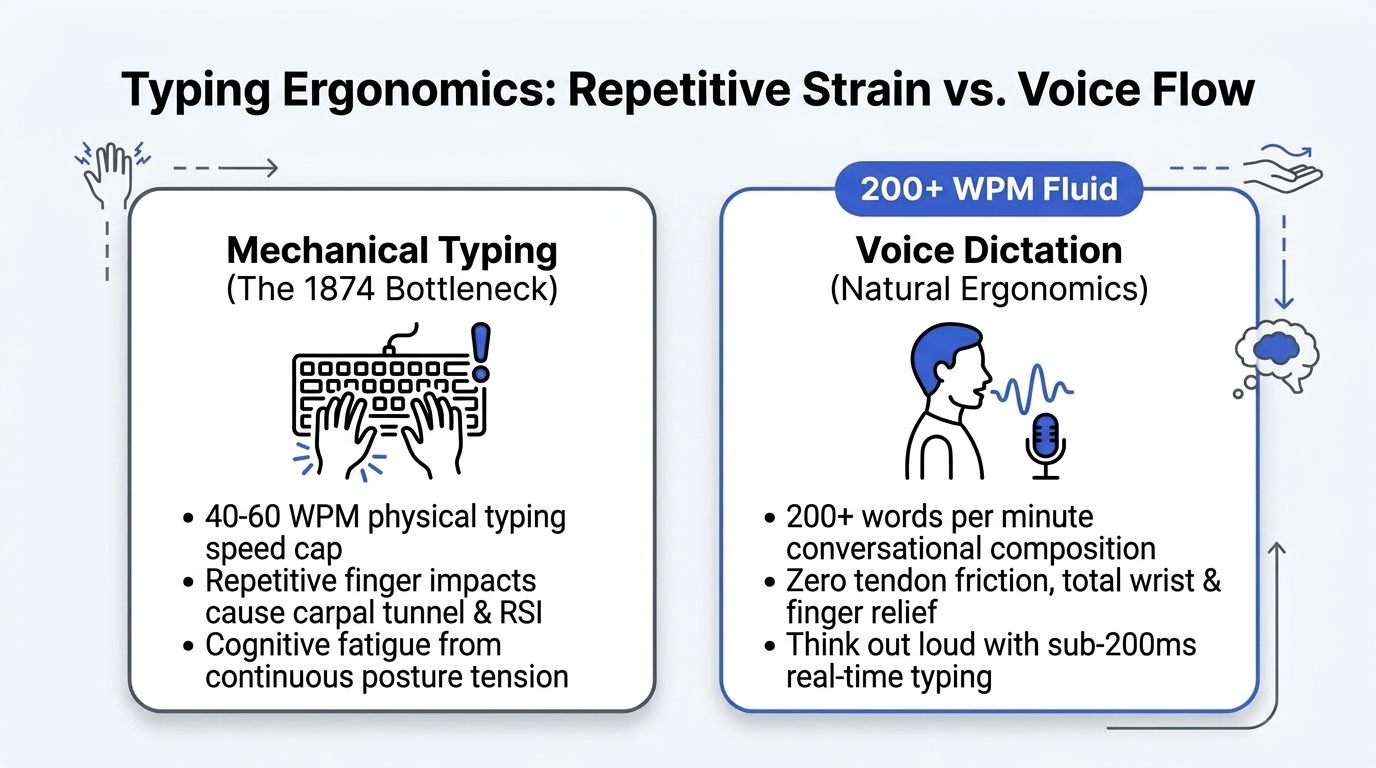
Those tools help, but they ignore the underlying design flaw: human thoughts move at 200 words per minute, while human fingers can barely sustain 50.
Here is the biomechanics behind the typing bottleneck, why voice is the natural replacement for prose composition, and how to comfortably dictate at 200+ words per minute without sounding like a robotic dictator.
1. The 1874 Compromise That Still Governs Your Hands
In 1874, Christopher Latham Sholes patented the QWERTY layout. His design was not engineered for human comfort or typing speed. Quite the opposite: mechanical typewriters had metal typebars that pivoted upward to strike an inked ribbon. If a typist typed common two-letter pairs too quickly, the physical arms would collide and jam.
Sholes deliberately separated common digraphs (like th and er) to slow typists down just enough to prevent mechanical collisions.
We no longer use metal typebars. Yet 150 years later, we still contort our hands across Sholes' anti-speed layout on glass and plastic laptop keyboards.
When your fingers hit the keyboard, three biomechanical stresses occur simultaneously:
- Ulnar deviation: Wrists bent outward toward the pinky fingers.
- Forearm pronation: Palms twisted flat against the desk surface.
- Static load: Shoulder and neck muscles locked in place to suspend your arms above the keys.
Voice eliminates all three static loads instantly. Your hands can rest flat on your lap or by your sides while your thoughts enter the screen.
2. Speech Velocity vs. Keyboard Friction
Consider the mathematical gap between speaking and typing:
| Mode | Average Speed | Sustained Daily Ceiling | Physical Strain |
|---|---|---|---|
| Mechanical Typing | 42 – 65 WPM | ~3,000 – 5,000 words | High (tendon friction) |
| Voice Dictation | 180 – 230 WPM | 15,000+ words | Zero tendon load |
When you draft an essay, an email, or a project update by typing, you are constantly putting your ideas into a mental holding queue. You formulate paragraph two while your fingers are still finishing sentence one. That cognitive backpressure frequently causes you to forget nuances or simplify arguments just to get through the typing faster.
Speaking removes the queue. You express the idea at conversational velocity, and the text drops into place in real time.
3. Why Voice Dictation Finally Works (Without Robotic Commands)
In the 2000s and 2010s, dictation was painful because you had to speak in an artificial, stilted cadence:
"Dear John comma new paragraph I am writing to you regarding the invoice period"
If you paused to think, it inserted a garbage word. If you said "um", it typed "um".
Modern local AI dictation models (like NeverType's optimized Whisper engine) process speech using contextual attention windows. They understand grammar and sentence boundaries natively:
- You speak naturally with conversational pacing.
- The model automatically infers commas, periods, capitalization, and question marks based on tone and syntax.
- Conversational filler words ("um", "ah", "like", throat clearing) are filtered out cleanly without altering your meaning.
4. The 3-Step Transition Routine for Typing Relief
If you are currently experiencing wrist pain, carpal tunnel numbness, or tendonitis, switching completely to voice on day one can feel disorienting. We recommend a structured three-step ramp:
Week 1: Low-Stakes Communication
Do not write your most complex technical document by voice on day one. Start with conversational tasks:
- Replying to internal Slack messages
- Drafting quick calendar invite descriptions
- Answering routine customer support inquiries
Week 2: First-Draft Longform Prose
Use voice exclusively for generation mode, saving editing for later:
- Dictate the initial draft of a blog post, newsletter, or memo from start to finish without stopping to edit typos.
- Review and refine with minimal keyboard input once the raw draft exists.
Week 3: Full Desktop Integration
Configure your NeverType global trigger to an effortless key (such as double-tapping Fn or holding Right Option). Use voice across all desktop applications—Notion, VS Code, Google Docs, and email.
The Verdict: Preserve Your Hands for the Long Game
Your hands are essential creative instruments. Sacrificing them to 20,000 repetitive impacts every single day is an unnecessary tax on your career.
By letting local speech models handle high-velocity natural language, you protect your physical health while multiplying your daily output.
👉 Download NeverType Free — Sub-200ms offline voice dictation with zero cloud tracking.