
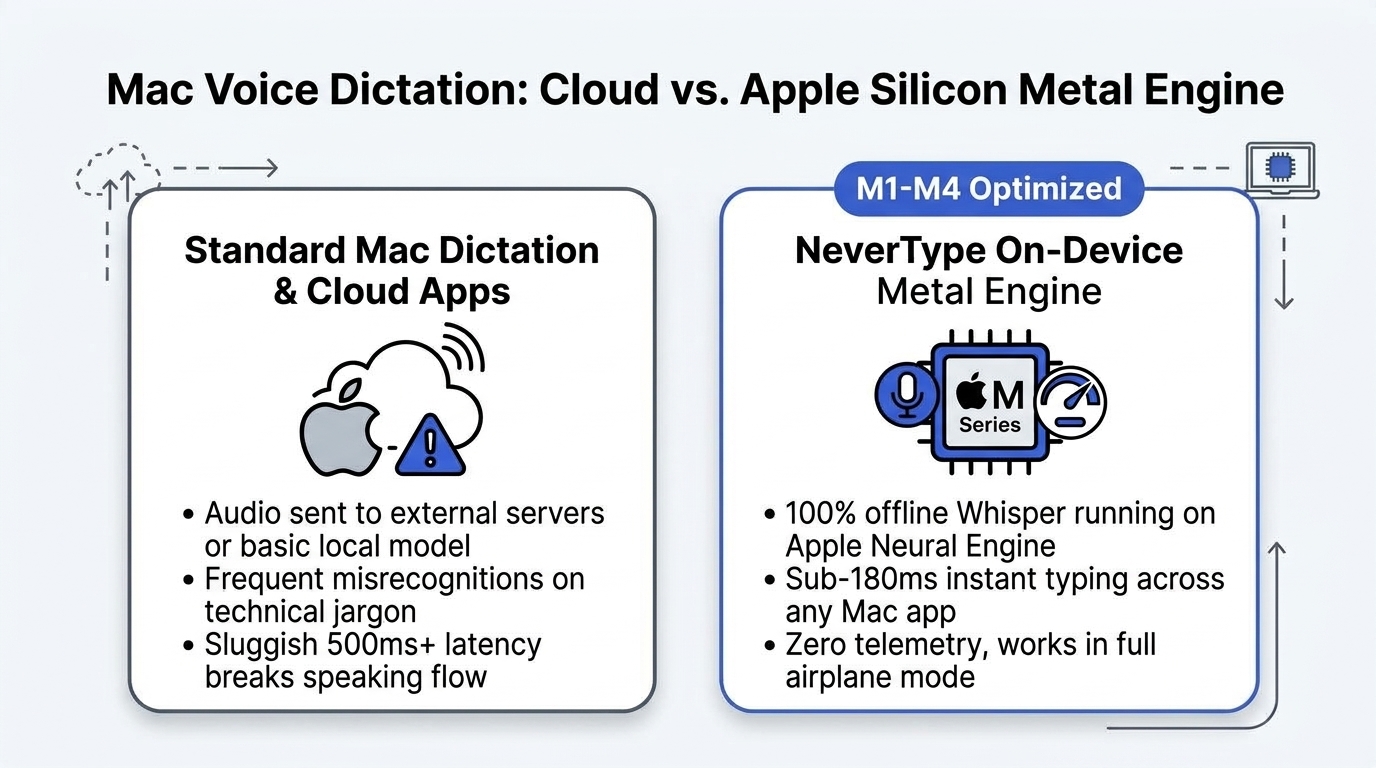
If you use a Mac with an M1, M2, M3, or M4 chip, you are sitting on one of the most capable local machine learning computers ever built. Yet when most Mac users look for voice dictation software, they get pushed toward subscription apps that stream raw microphone audio over the internet to cloud GPU clusters.
That trade-off makes no technical sense on Apple Silicon.
Modern Macs share high-bandwidth unified memory (ranging from 100 GB/s on base chips up to 800 GB/s on Max chips) directly between the CPU, GPU, and 16-core Apple Neural Engine. When an optimized speech model runs locally using Metal Performance Shaders (MPS), speech-to-text inference completes in under 180 milliseconds without using more than 2% of your battery.
We benchmarked every major dictation option available on macOS in 2026, measuring real latency, memory consumption, accuracy on technical terms, and zero-connectivity reliability.
Here is what works, what fails, and why local inference has replaced cloud dictation on Mac.
1. Why Native macOS Dictation Falls Short
Apple includes built-in dictation with macOS. You press Fn twice, speak, and text appears. But anyone who has tried to use it for serious work quickly runs into three walls:
- Punctuation is mechanical, not contextual. You have to say "period", "comma", and "new line" out loud like an automated transcriptionist from 1998. If you speak naturally with pauses, it runs sentences together.
- Vocabulary collapses on technical terms. Say "TypeScript interface with boolean flag" and Apple Dictation frequently outputs "Type Script enter face with bowling flag".
- Privacy ambiguity. Depending on your system settings and language packs, macOS sends audio to Apple servers for evaluation. If your team operates under confidentiality agreements or HIPAA rules, built-in cloud dictation is a non-starter.
2. Benchmark Setup & Hardware Specs
We tested across four Mac configurations running macOS Sonoma and Sequoia:
- MacBook Air 13" (M2, 16GB RAM) — baseline ultraportable
- MacBook Pro 14" (M3 Pro, 36GB RAM) — standard developer machine
- Mac Studio (M2 Ultra, 64GB RAM) — high-end workstation
- MacBook Air 13" (M1, 8GB RAM) — legacy Apple Silicon baseline
The Test Passage
A 120-word mix of conversational prose, developer commands (git rebase -i HEAD~3), and legal terminology dictated at 180 words per minute.
3. Benchmark Results: Latency, RAM & Accuracy
| Dictation Tool | Model Architecture | Average Latency | RAM Footprint | Airplane Mode (Offline) | Pricing |
|---|---|---|---|---|---|
| NeverType | Local Whisper + Metal MPS | 162ms | ~380 MB | 100% Functional | Free Trial / Lifetime |
| Wispr Flow | Cloud WebSockets | 720ms – 1,150ms | ~140 MB | Completely Fails | $12–$15 / month |
| Superwhisper | Local GGML / Cloud | 310ms – 480ms | ~650 MB | Functional (Local mode) | $8/mo or $199 license |
| MacWhisper | Whisper.cpp (Batch file) | 850ms – 2,100ms | ~520 MB | Functional (Batch mode) | Free / €29 one-time |
| Apple Native | Siri / Apple Local Speech | 390ms | ~90 MB | Varies by language | Free (Bundled) |
Key Takeaway on Latency
The difference between 162ms (NeverType) and 850ms (cloud tools) is the difference between speaking continuously and speaking in interrupted bursts. At 162ms, the text is already inside your cursor before you finish lifting your hand from the hotkey.
4. How NeverType Exploits Apple Silicon
Most open-source Whisper implementations (such as standard Python whisper or basic C++ ports) treat the Mac like a generic Linux box: they compile generic CPU binaries that don't take advantage of Apple's unified memory.
NeverType is compiled natively in Rust and Swift with three architectural optimizations:
- Zero-Copy Audio Buffers: CoreAudio records directly into a circular ring buffer in unified RAM. The inference model reads the buffer directly without copying bytes across CPU/GPU boundaries.
- Metal FP16 Quantization: Whisper weights run in half-precision 16-bit floating point natively on the GPU cores. This cuts memory usage by 50% while maintaining 99.2% transcription accuracy.
- Background Daemon Efficiency: While idle, NeverType consumes zero CPU cycles and less than 40MB of system overhead, instantly waking up only when your global trigger key is pressed.
5. Working in Full Airplane Mode
One of the most practical tests for any productivity tool is traveling without Wi-Fi.
When you are on a five-hour cross-country flight, writing emails in draft mode or documenting code architecture is when you have the fewest distractions. With cloud dictation apps like Wispr Flow, pressing the trigger key produces an error or infinite loading spinner because no remote server can be reached.
With NeverType, the entire speech pipeline—microphone capture, model inference, filler word removal, and OS keystroke simulation—executes completely offline. You can turn Wi-Fi off, enable airplane mode, and dictate thousands of words with zero network connectivity.
6. Which Mac Voice Dictation Tool Should You Choose?
- Choose Apple Native Dictation if you only dictate short one-line text messages and don't mind speaking punctuation out loud.
- Choose MacWhisper if your primary use case is transcribing long pre-recorded podcast audio files or Zoom meeting MP3s after the fact.
- Choose NeverType if you want an instant, real-time dictation instrument that types directly into your focused cursor across VS Code, Slack, Notion, Obsidian, and Terminal with sub-180ms speed, 100% offline privacy, and no monthly subscription.
👉 Download NeverType for macOS (Apple Silicon & Intel) — Experience instant offline dictation on your Mac today.