
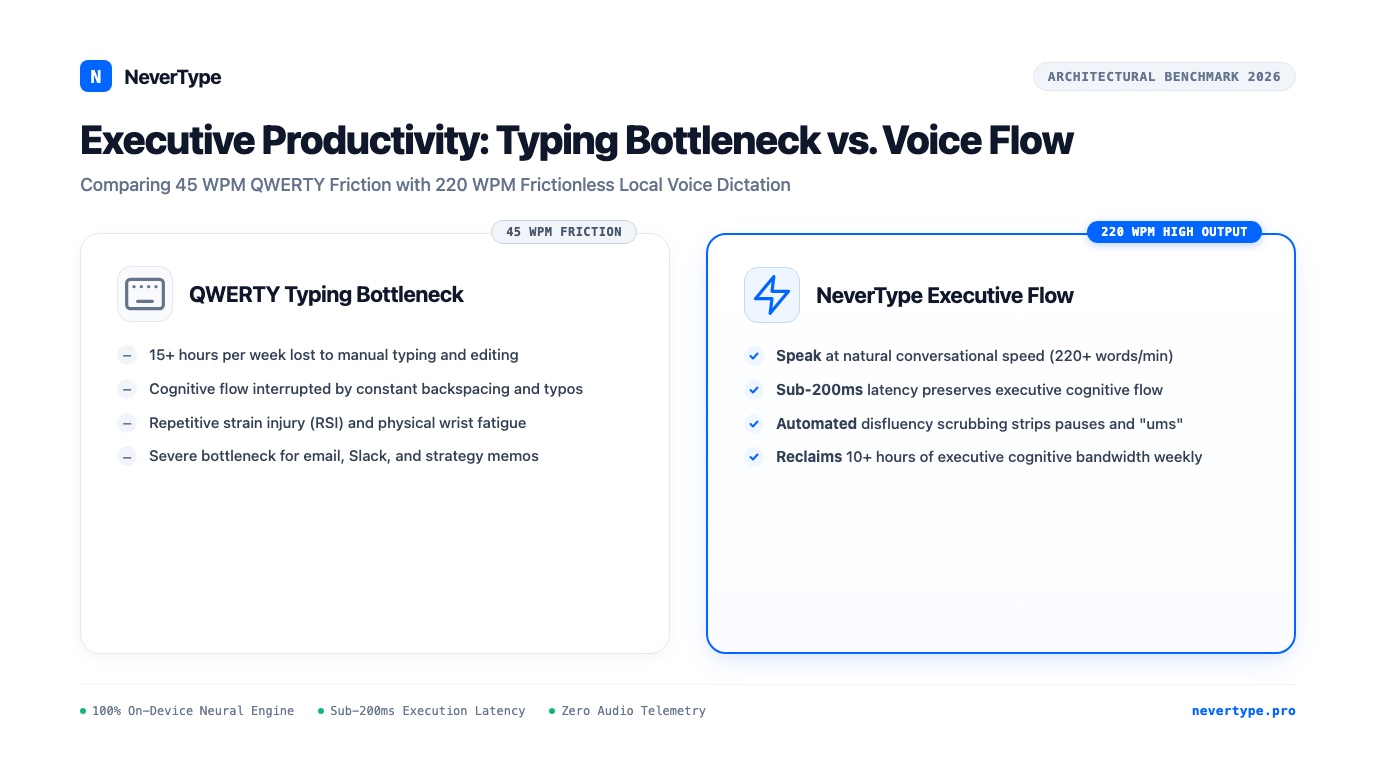
Executive throughput is severely constrained by the mechanical keyboard. While executive thought processes, decision frameworks, and strategic narratives form at 150 to 250 words per minute, physical QWERTY typing throttles output to 40 to 60 words per minute, consuming 15 to 20 hours of an executive's weekly schedule in routine email drafting, Slack alignment, investor memos, and board briefs.
Adopting on-device voice dictation transforms this dynamic, enabling founders, chief executives, and managing partners to dictate long-form strategic prose at 220+ words per minute with sub-200ms latency, zero cloud privacy exposure, and zero typing fatigue.
Here is the operational framework, quantitative time-savings model, and architectural breakdown of high-output executive voice workflows powered by NeverType.
1. The 1874 Bottleneck: Why Typing Compromises Executive Cognition
The QWERTY keyboard layout was engineered by Christopher Sholes in 1874 specifically to slow typists down and prevent mechanical metal typebars from colliding, creating an arbitrary 150-year-old tax on human intellectual output.
Modern executives rarely suffer from a lack of strategic vision; they suffer from input friction. Consider the quantitative disparity between thought formation and physical transcription:
- Human Thought & Internal Monologue: 250 – 400 words per minute.
- Natural Conversational Speech: 180 – 240 words per minute.
- Competent Executive QWERTY Typing: 45 – 65 words per minute.
- Mobile Smartphone Thumb Typing: 25 – 35 words per minute.
Cognitive Friction Curve:
Speech Input (220 WPM) ═══════════════════════════════════════► Continuous Thought Flow
QWERTY Typing (50 WPM) ═════════► [Typos] [Backspaces] [Buffer Loss] (Cognitive Decay)
When an executive sits down to compose a nuanced 600-word memorandum to their leadership team, typing that memo requires 12 to 15 minutes of continuous physical keystrokes, punctuated by backspacing, correcting typos, and context shifts. During those 15 minutes, the original thread of nuance frequently decays.
When dictating at 220 WPM into an on-device instrument like NeverType, that identical 600-word brief is articulated and formatted in under 2 minutes and 45 seconds. The executive maintains flow state, articulates clear arguments, and reclaims cognitive momentum.
2. Quantitative Time-Savings Matrix: Reclaiming 10+ Hours Every Week
Adopting high-speed voice dictation saves the average executive 1.8 hours per business day, amounting to 9.2 hours per week and more than 460 hours of high-leverage focus time reclaimed annually.
To quantify the return on investment (ROI) of voice dictation for executive leadership, consider the weekly written output of an enterprise founder, partner, or executive:
| Executive Communication Task | Average Daily Word Volume | Time Spent via Keyboard (50 WPM) | Time Spent via NeverType (220 WPM) | Daily Time Saved |
|---|---|---|---|---|
| Email Drafting & Responses (Gmail/Outlook) | 1,800 words | 36.0 minutes | 8.2 minutes | 27.8 minutes |
| Team Alignment & Slack/Teams Memos | 1,200 words | 24.0 minutes | 5.5 minutes | 18.5 minutes |
| PRD, Spec & Strategy Brief Reviews | 1,500 words | 30.0 minutes | 6.8 minutes | 23.2 minutes |
| Investor Updates, Board Memos & Notes | 800 words | 16.0 minutes | 3.6 minutes | 12.4 minutes |
| CRM Customer Call Debriefs & Notes | 1,000 words | 20.0 minutes | 4.5 minutes | 15.5 minutes |
| Daily Cumulative Totals | 6,300 words | 126.0 minutes (2.1 hrs) | 28.6 minutes (0.47 hrs) | 97.4 minutes (~1.6 hrs/day) |
Over a standard 50-week operating year:
- Typing at 50 WPM: 630 hours spent staring at a keyboard and hitting plastic keycaps.
- Dictating at 220 WPM with NeverType: 143 hours total vocalization.
- Net Executive Bandwidth Reclaimed: 487 hours per year, equivalent to 60 full eight-hour workdays returned to high-value strategic decision-making, fundraising, customer meetings, and hiring.
3. High-Output Executive Workflows Across Daily Tools
NeverType operates system-wide without application-specific plugins, allowing executives to inject formatted prose into any native window with a single hotkey press.
Workflow 1: Rapid Executive Email Triage (Gmail & Superhuman)
Executives receiving 150+ emails daily often fall into the trap of sending brief, blunt, one-sentence replies because detailed typing takes too long.
- The NeverType Technique: Tap the global trigger (e.g. holding
Right Option), vocalize a complete, polished reply with context and strategic guidance, and release. - Sample Dictation: "Thank you for the detailed diligence package, David. We reviewed the unit economics in Appendix B, and while the customer acquisition trajectory looks solid, we need further clarity on net revenue retention across the enterprise cohort. Let us convene with the finance team on Tuesday at 9 AM to walk through the bridge model."
- Outcome: A 58-word structured executive response is drafted and sent in 15 seconds.
Workflow 2: Asynchronous Leadership Updates in Slack
Modern leadership requires strong written clarity to prevent unnecessary meetings.
- The NeverType Technique: Instead of pulling five engineering and product leaders into a 30-minute sync, the executive dictates a thorough asynchronous brief directly into Slack's message input.
- Result: The local disfluency filter cleans pauses and filler words, producing structured, authoritative prose that sets clear priorities without scheduling overhead.
Workflow 3: Capturing Epiphanies and Meeting Insights in Obsidian or Apple Notes
Executive epiphanies often strike during transitions between meetings or when reviewing data.
- The NeverType Technique: Open Obsidian or Notes, tap the hotkey, and speak a 500-word stream of consciousness. NeverType segments paragraphs, formats headers, and injects clean text with zero cloud lag.
4. Benchmark: Executive Dictation Systems Compared
Tabular comparison reveals why legacy consumer tools and cloud-dependent SaaS apps fail executive requirements:
| Evaluation Vector | NeverType Executive Flow | Wispr Flow (Cloud SaaS) | Apple Dictation (Built-In) | Dragon NaturallySpeaking |
|---|---|---|---|---|
| Speech Processing Engine | 100% On-Device Metal / DirectML | Remote Cloud Server GPU | Apple Cloud / Basic Local | Legacy C++ Client Engine |
| Data Privacy & Telemetry | Zero packets leave local RAM | Audio streamed over Internet | Sent to Apple servers | Offline (Local) |
| Boardroom & NDA Security | 100% Compliant (Zero Risk) | High Subpoena & Leak Risk | Corporate Privacy Risk | Compliant (Legacy) |
| Response Latency | Sub-200ms (<150ms) | 500ms – 1,200ms lag | 400ms – 800ms | 600ms – 1,500ms |
| Timeouts & Interruptions | None (Continuous Unlimited) | Subject to network drop | 30-second hard cutoff | None |
| Disfluency & Filler Removal | Contextual local neural filter | Cloud LLM pass | None (literal transcription) | None |
| Offline in Flight / Transit | 100% Functional at 35,000 ft | Completely Fails | Severely Degraded | Functional |
| Cross-Platform Support | macOS, Windows 10/11, Linux | macOS, Windows beta | Apple Devices Only | Windows Only ($500+) |
| Pricing Model | $6/mo annual or Lifetime Deal | $144–$180 / year rent | Bundled | $500+ perpetual |
5. The Confidentiality Imperative: Why Cloud Dictation Is a Boardroom Liability
Cloud dictation platforms stream raw audio recordings across the internet to remote third-party GPU clusters, creating severe data breach vulnerabilities and violating executive fiduciary obligations.
Executive dictation frequently involves information of extreme commercial sensitivity:
- Unannounced merger and acquisition negotiations.
- Quarterly earnings figures before public disclosure (material non-public information).
- Executive compensation packages and sensitive personnel terminations.
- Core intellectual property, patent claims, and litigation strategies.
Using cloud-based dictation utilities like Wispr Flow or speech recognition services that route audio through external APIs introduces third-party risk. If the cloud vendor suffers an unauthorized intrusion, misconfigures an AWS S3 bucket, or is served with a legal subpoena, your voice recordings and transcripts can be exposed without your knowledge.
NeverType guarantees 100% executive confidentiality through hardware-level architecture:
- Volatile RAM Processing: Voice audio resides exclusively in system memory for the fraction of a second needed for local neural model computation.
- Immediate Memory Zeroing: Once transcription is dispatched to your active cursor, the memory buffer is wiped.
- No External Network Calls: NeverType operates with complete outbound network isolation. You can disable Wi-Fi or configure an air-gapped firewall; the transcription engine operates without impediment.
- No Third-Party AI Model Training: Your proprietary thoughts and terminology are never ingested to train public or proprietary foundation models.
Frequently Asked Questions
How does voice dictation improve executive productivity?
Voice dictation increases written composition speed from an average of 45–60 words per minute on a keyboard to 200–240 words per minute via natural speech. This 4x speed improvement saves executives between 1.5 and 2 hours daily in drafting emails, Slack communications, strategic documents, and meeting summaries while preserving mental flow state.
Can NeverType handle complex executive vocabulary, acronyms, and financial terms?
Yes. NeverType utilizes advanced Whisper and neural transformer models that understand executive, financial, legal, and technical lexicons. It correctly transcribes terminology like "EBITDA", "ARR", "Series B bridge round", "retention cohort", and "indemnification clause" without phonetic errors or phonetic misspellings.
Does NeverType work on airplanes during executive travel?
Yes. NeverType runs 100% on your laptop's local processor (Apple Silicon M-series on Mac, DirectML/CUDA on Windows, or ONNX on Linux). It requires zero internet connectivity and operates with full speed and sub-200ms latency at 35,000 feet in airplane mode.
How does NeverType eliminate filler words like "um" and "uh" from executive memos?
NeverType features a real-time local disfluency filter that identifies and removes conversational pauses, hesitation sounds ("um", "uh", "you know"), and accidental false starts while preserving intentional punctuation and sentence structure. The resulting text appears in polished, publication-ready prose.
How does NeverType protect sensitive board memos and proprietary company data?
Unlike cloud services that stream voice audio over the internet, NeverType processes all speech locally within your computer's volatile RAM. Zero audio packets are transmitted off your device, zero recordings are saved to cloud databases, and the software is completely immune to third-party cloud data leaks or subpoenas.
The Verdict: Upgrade Your Executive Input Layer
Top executives invest in high-performance hardware, ergonomic workspaces, and executive assistants, yet continue to bottleneck their strategic intellect through a mechanical typing mechanism designed in 1874.
Voice is humanity's highest-bandwidth medium of expression. NeverType bridges your voice to your desktop operating system with zero latency, zero cloud security compromises, and permanent ownership.
👉 Download NeverType Free for macOS, Windows, and Linux — Reclaim 10 hours of executive focus every week starting today.